Computer Games – Easy Guide with Types & Examples
Published: 27 Dec 2025
Imagine stepping into a colorful digital world where you can solve puzzles, go on adventures, or build your own creations. That’s the magic of computer games! For beginners, these games are not only entertaining but also a simple way to understand how computers work while having fun.
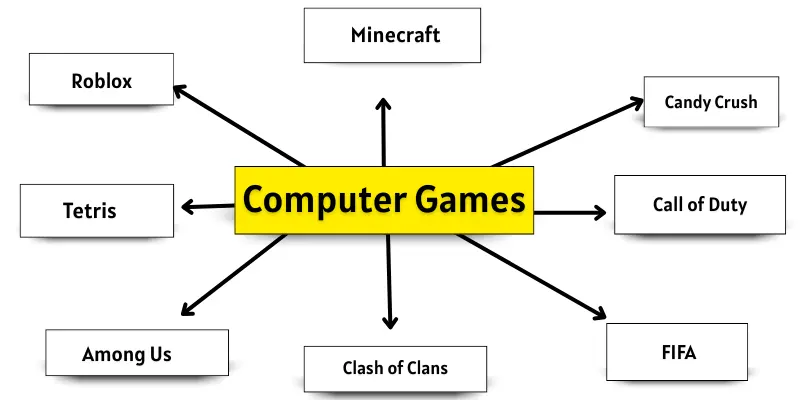
What are Computer Games?
Computer games are software programs that you can play on a computer. They are designed for fun, learning, and entertainment. Some games are simple, while others are more challenging. Beginners can enjoy games for fun and to learn new skills.
History of Computer Games
Computer games have been around for a long time. The first games were very simple. In the 1950s and 1960s, scientists created games such as Tennis for Two and Spacewar!. These games were only for computers in labs.
In the 1970s and 1980s, home computers became popular. People could play games like Pong and Pac-Man at home. Later, computers became faster, and games became more exciting. Today, computer games are popular all over the world. Beginners can enjoy them on laptops, PCs, and even tablets.
Types of Computer Games
Computer games come in many types. Each type offers a different experience and level of fun. Beginners can choose games according to their interests.
1. Action Games
Action games are fast and exciting. Players need quick reflexes and good hand-eye coordination. These games often include fighting, running, or shooting. Beginners can start with simple action games like Super Mario, Sonic, or Call of Duty.
2. Adventure Games
Adventure games let players explore new worlds. You solve puzzles and complete tasks in a story. These games are fun and make you think. Beginners enjoy adventure games such as The Legend of Zelda, Monkey Island, and Tomb Raider.
3. Puzzle / Brain Games
Puzzle games test your mind. You solve problems and find solutions. These games improve thinking and memory. Beginners can play puzzles like Tetris, Sudoku, or Candy Crush.
4. Simulation Games
Simulation games copy real-life activities. You can drive a car, manage a farm, or build a city. These games teach planning and decision-making. Beginners like simulation games like The Sims, SimCity, or Farmville.
5. Educational Games
Educational games help you learn while playing. They can teach math, science, or languages. These games are perfect for beginners and kids. Playing educational games like ABCmouse, TypingClub, or BrainPOP makes learning fun.
6. Sports Games
Sports games let you play football, cricket, basketball, and other sports on the computer. You can compete with friends or the computer. These games improve focus and strategy. Beginners enjoy sports games like FIFA, NBA 2K, or Cricket 19.
7. Strategy Games
Strategy games need planning and thinking. You must make decisions to win the game. These games improve problem-solving skills. Beginners can start with strategy games like Age of Empires, Clash of Clans, or Chess.com.
8. Multiplayer Online Games (MMO)
MMO games let many people play together online. You can cooperate or compete with others. These games teach teamwork and communication. Beginners should start with MMO games like Roblox, Minecraft, or Fortnite.
Examples of Computer Games
There are many computer games that beginners can enjoy. Each game has something special that makes it fun and easy to play.
1. Minecraft
Minecraft lets you build and explore your own world. You can make houses, farms, and even entire cities. The game encourages creativity and problem-solving. You can explore open worlds and play with friends online. It is simple, exciting, and full of adventures.
2. Roblox
Roblox allows you to play many mini-games online. You can also create your own games and share them. The game helps improve creativity and teamwork. It offers a variety of mini-games and multiplayer options. It is easy to start and enjoyable for new players.
3. Tetris
Tetris is a puzzle game where you fit blocks together to complete lines. The game trains your brain and improves planning skills. Controls are simple, but the challenge grows with levels. It is colorful, engaging, and very addictive for beginners.
4. Candy Crush
Candy Crush is a puzzle game on phones and tablets. You match candies to win levels. The game has bright graphics and clear level progression. It helps improve focus and strategy. The gameplay is simple, fun, and relaxing.
5. Among Us
Among Us is a multiplayer game with a social twist. You complete tasks and identify the impostor. The game develops teamwork and communication skills. It is easy to understand and play online with friends. Social interaction makes it engaging and fun.
6. FIFA
FIFA is a football game with real teams and players. You can participate in tournaments or play matches online. The game improves focus and quick decision-making. It is simple to follow and very enjoyable for beginners.
7. Call of Duty
Call of Duty is an action-shooting game. You complete missions and fight enemies. The game has realistic graphics and a variety of weapons. Missions start simple and become more challenging. It keeps players engaged with fast-paced action.
8. The Legend of Zelda
The Legend of Zelda is an adventure game. You explore worlds and solve puzzles. It has an interesting story and many exploration opportunities. The game encourages problem-solving and critical thinking. Controls are easy to handle for new players.
9. SimCity
SimCity is a simulation game. You build and manage your own city. It teaches planning and resource management. The game is realistic and engaging. Beginners can enjoy building cities and making decisions step-by-step.
10. Clash of Clans
Clash of Clans is a strategy game. You build villages and fight other players. The game includes planning, multiplayer battles, and resource management. Beginners can start with small attacks and learn strategy. It is fun and keeps you thinking creatively.
Advantages and Disadvantages of Computer Games
Computer games are popular and fun. They can have both positive and negative effects on players. Understanding their advantages and disadvantages helps beginners play wisely.
| Pros |
|---|
|
| Cons |
|---|
|
Conclusion
So friends, it’s time to finish up! In this article, we’ve covered computer games in detail. My suggestion is to try games that match your interests, whether puzzles, adventures, or strategy. Always balance your gaming with study or work. For more tips and game ideas, keep reading our easy guides for beginners!
FAQs about computer games
There are many types, like action, adventure, puzzle, simulation, strategy, and multiplayer games. Each type offers a different experience. You can choose games based on your interests.
No, computer games are for all ages. Adults and teenagers also enjoy them. Some games are educational, while others are for fun or strategy.
Yes, many games improve thinking, planning, and problem-solving skills. Action games can improve hand-eye coordination. Multiplayer games can teach teamwork and communication.
Yes, some games teach math, science, languages, or strategy. Educational games make learning fun and interactive. Examples include ABCmouse, BrainPOP, and TypingClub.
They can be safe if you followthe rules. Never share personal information online. Always play on trusted platforms and with friends or family.
Yes, playing too much can cause eye strain, headaches, and less physical activity. It may also affect studies or social life. Playing in moderation is important.

- Be Respectful
- Stay Relevant
- Stay Positive
- True Feedback
- Encourage Discussion
- Avoid Spamming
- No Fake News
- Don't Copy-Paste
- No Personal Attacks
- Be Respectful
- Stay Relevant
- Stay Positive
- True Feedback
- Encourage Discussion
- Avoid Spamming
- No Fake News
- Don't Copy-Paste
- No Personal Attacks
