10 Types of Computers with Features, Examples, Uses, and Images
Published: 3 May 2026
Computers are an essential part of our everyday life. We use them at home, in schools, offices, hospitals, and many other places. From smartphones and laptops to powerful systems in banks and research centers, computers are working everywhere in today’s digital world.
With the help of Artificial Intelligence (AI), modern computers are becoming smarter and more efficient by learning from data and solving complex problems. However, many people still do not clearly understand how many types of computers exist, because each type is designed for different tasks and purposes.
In this guide, we will explore the various types of computers, with examples, features, and uses, in a simple, easy-to-understand way. And if you also want to know how computers are grouped, check out our detailed guide on the classification of computers.
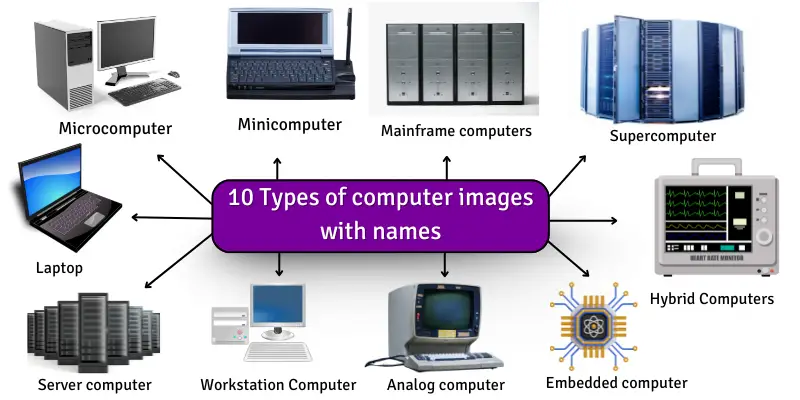
Let’s explore the computers different types in detail
How Many Types of Computers Are There?
There are mainly 10 types of computers used in different fields of life. These computers are classified by size, speed, operating method, and purpose. Some computers are small and used by one person, while others are very large and powerful, used by big organizations like banks, hospitals, and research centers.
Each type of computer plays an important role in making tasks easier, faster, and more accurate in today’s digital world.
List of 10 Types of Computers: Explain With Pictures
Here is a simple list of all types of computer:
- Microcomputer (Personal Computer)
- Minicomputer
- Mainframe Computer
- Supercomputer
- Server Computer
- Embedded Computer
- Workstation Computer
- Laptop
- Analog Computer
- Hybrid Computer
So, guys, let’s read about types of computers with images in detail.
1. Microcomputer (Personal Computer)
Microcomputers are small computers designed for a single user. They are the most common type of computer used in homes, schools, offices, and businesses. Modern microcomputers are powerful enough to handle daily tasks as well as advanced work like design and programming. Want to know how it compares to others? Check out our Difference Between Mini and Micro Computers.
Features
Microcomputers have modern hardware and software capabilities that make them suitable for everyday personal and professional use.
- Uses a single microprocessor (Intel, AMD, Apple Silicon)
- Designed for one user at a time
- Supports multitasking and multiple applications
- Comes with RAM ranging from basic to high capacity (8GB–64GB or more)
- Uses fast SSD storage for better speed
- Available as desktop, laptop, and all-in-one systems
- Connects with the internet, Wi-Fi, Bluetooth, and external devices
- Runs operating systems like Windows, macOS, and Linux
Common Uses
Microcomputers are widely used in education, business, and everyday digital activities.
- Online learning and digital education
- Office work, like documents, spreadsheets, and presentations
- Internet browsing and research
- Entertainment like movies, music, and games
- Programming and software development
- Graphic design and content creation
- Online communication (email, video calls, messaging)
Real-Life Examples:
- Dell Inspiron Desktop
- HP Pavilion PC
- Apple iMac
- Lenovo ThinkPad Laptop
- Acer Aspire Series
Why It Matters
Microcomputers are important because they are the foundation of personal computing in modern life. They help students study, professionals work, and businesses operate efficiently. Almost every digital activity today depends on microcomputers in some form.
Surprise Fact

A modern microcomputer can perform billions of operations per second, making it far more powerful than the earliest computers that once filled entire rooms.
2. Minicomputer
Minicomputers are mid-range computers designed to handle multiple users and tasks at the same time in organizations and business environments.
Features
Minicomputers have powerful multi-user capabilities and are used for shared computing in professional environments.
- Supports multi-user operating systems like UNIX and Linux
- Uses multiprocessing to handle several tasks at once
- Medium to high RAM and storage capacity
- Works on time-sharing systems for multiple users
- High stability for continuous operation
- Can function as a small network server
- Centralized data processing system for departments
Uses
Minicomputers are mainly used in organizations where multiple users need access to shared data and systems. There are the following uses of minicomputers:
- It is used in Business accounting and financial systems
- University and educational administration
- Hospital records and patient management systems
- Industrial control and automation systems
- Research labs and data processing
- Small-scale server and network management
Examples
Minicomputers include classic systems that were widely used in organizations before modern servers replaced many of their functions.
- PDP-11
- Data General Nova
- IBM AS/400 systems
Why It Matters
Minicomputers are important because they provide a cost-effective way for organizations to handle multiple users and shared computing tasks efficiently.
Real Fact
Minicomputers became popular in the 1970s and 1980s and played a key role in making computing accessible to medium-sized businesses before modern server technology replaced many of their roles.

3. Mainframe Computer
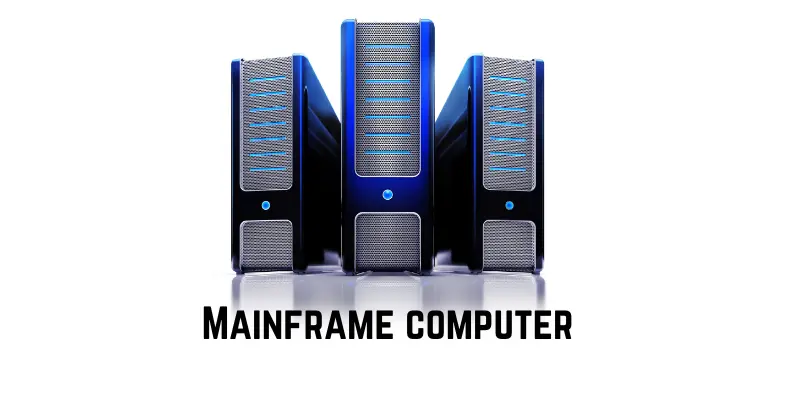
Mainframe computers are high-performance systems. It is designed to process and manage huge amounts of data for large organizations and thousands of users at the same time.
Features
Mainframe computers are built for large-scale, secure, and highly reliable data processing in enterprise environments.
- Supports thousands of simultaneous users and connections
- Extremely high processing power for bulk data operations
- Uses advanced virtualization to run multiple workloads
- High fault tolerance with redundant systems (backup components)
- Strong security features for sensitive data protection
- Very high input/output processing capability
- Designed for continuous 24/7 operation without downtime
- Uses enterprise-level operating systems like IBM z/OS
Uses
Mainframe computers are used in industries where large-scale, secure, and reliable data processing is required.
- Banking systems and financial transactions
- Airline reservation and ticketing systems
- Government record management systems
- Insurance and billing systems
- Large enterprise data processing
- Census and population data handling
Examples
Mainframe computers are mostly used in enterprise-grade systems developed by major technology companies. Here are some Examples of mainframe computers.
- IBM zSeries (IBM Z systems)
- Unisys ClearPath systems
- Fujitsu GS21 systems
Why It Matters
Mainframe computers are important because they ensure secure, fast, and uninterrupted processing of critical data for large organizations like banks, airlines, and governments.
Real Fact
Modern mainframes are still actively used today because they can process millions of transactions per second with extremely high reliability and almost zero downtime.
4. Supercomputer
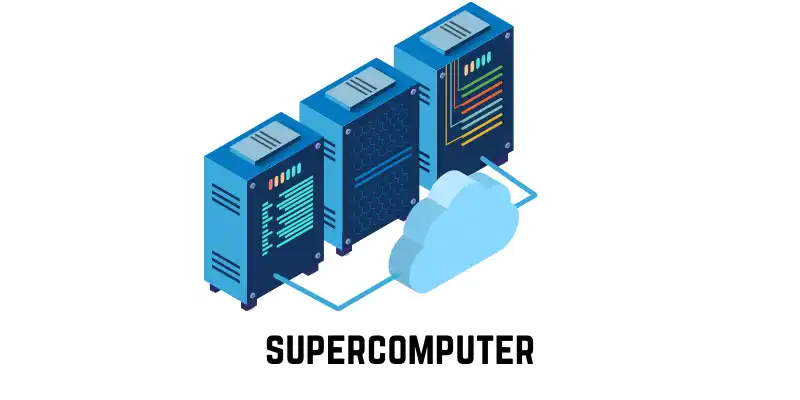
Supercomputers are extremely high-performance computing systems designed to solve very complex scientific, mathematical, and engineering problems that normal computers cannot handle. Want to learn how it compares to other computers? Check out our detailed guide on Mainframe vs. Supercomputer.
Features
Supercomputers are built using advanced parallel processing technology to achieve extremely high speed and performance.
- Uses massive parallel processing with thousands to millions of CPU/GPU cores
- Extremely high computational speed measured in FLOPS (Floating Point Operations Per Second)
- Requires advanced cooling systems like liquid or water cooling
- Very high power consumption due to large-scale processing
- Built using clustered high-performance computing (HPC) architecture
- Runs optimized Linux-based operating systems for scientific computing
- Designed for complex simulations and large-scale calculations
- Expensive and used only in specialized research environments
Uses
Supercomputers are used in fields where extremely fast and accurate calculations are required.
- Weather forecasting and climate modeling
- Space research and satellite simulations
- Medical research and drug discovery
- Nuclear physics and engineering simulations
- Artificial intelligence model training
- Earthquake and seismic analysis
Examples
Supercomputers are developed by advanced research institutions and governments. Here are some examples of a supercomputer.
- Frontier (USA)
- Fugaku (Japan)
- Summit (USA)
Why It Matters
Supercomputers are important because they help scientists and researchers solve global problems like climate change, disease outbreaks, and space exploration with extreme speed and accuracy.
Real Fact
The fastest supercomputers today can perform over one quintillion (10¹⁸) calculations per second, making them millions of times faster than a typical personal computer.
5. Server computer
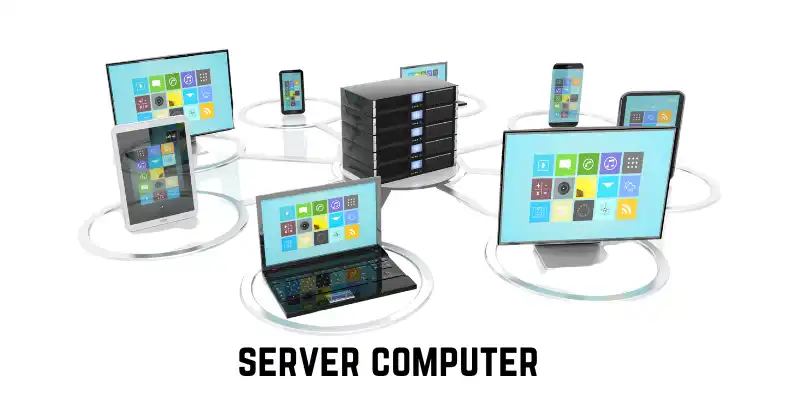
Server computers are powerful systems designed to store, manage, and deliver data, services, and resources to other computers over a network.
Features
Server computers are built for reliability, scalability, and continuous service in network environments.
- Designed to operate 24/7 without interruption
- Uses ECC (Error-Correcting Code) memory for data accuracy and stability
- High-performance multi-core processors for handling multiple requests
- Supports virtualization to run multiple server environments on one machine
- High-capacity SSD/NVMe storage systems for fast data access
- Strong network connectivity with high-speed data transfer support
- Remote management capabilities for system control and monitoring
- Runs server operating systems like Linux Server, Windows Server, or UNIX
Uses
Server computers provide services and manage data for users and organizations across networks and the internet.
- Hosting websites and web applications
- Managing cloud storage and online services
- Handling email systems and communication platforms
- Running databases for businesses and organizations
- File sharing and centralized data storage
- Supporting online gaming servers and applications
Examples
Server computers are used in data centers and enterprise IT infrastructures.
- Dell PowerEdge servers
- HP ProLiant servers
- IBM Power Systems
Why It Matters
Server computers are important because they form the backbone of the internet and modern digital services, enabling websites, apps, and cloud systems to function smoothly.
Real Fact
Every time you use social media, watch a video, or send an email, a server somewhere in a data center is processing your request in real time.
6. Embedded Computer
Embedded computers are small, dedicated computing systems built inside larger devices to control specific functions. They are designed to perform a fixed task rather than general-purpose computing.
Features
Embedded computers are optimized for efficiency, reliability, and real-time control inside electronic devices.
- Designed for a specific, dedicated function or task
- Built using microcontrollers or embedded processors
- Very low power consumption for energy efficiency
- Works in real-time systems where fast response is required
- Highly reliable and stable for continuous operation
- Limited memory and storage compared to general computers
- Often integrated directly into hardware devices
- Runs lightweight embedded operating systems or firmware
Uses
Embedded computers are widely used in everyday devices and industrial systems to automate and control operations.
- Automotive systems (engine control units, ABS braking systems)
- Home appliances like washing machines, microwaves, and air conditioners
- Medical devices such as heart monitors and diagnostic machines
- Consumer electronics like smart TVs and cameras
- Industrial machines and automation systems
- Smart devices and IoT systems
Examples
Embedded computers are found inside many modern electronic devices. Here are some common examples of embedded computers
- Car Engine Control Unit (ECU)
- Microwave control systems
- Smart washing machines
- Digital cameras
- Fitness trackers and smartwatches
Why It Matters
Embedded computers are important because they enable modern devices to be smart, automated, and efficient by controlling specific functions with high accuracy.
Real Fact
A modern car can contain more than 50 embedded computers working together to control everything from engine performance to safety systems.

7. Workstation Computer
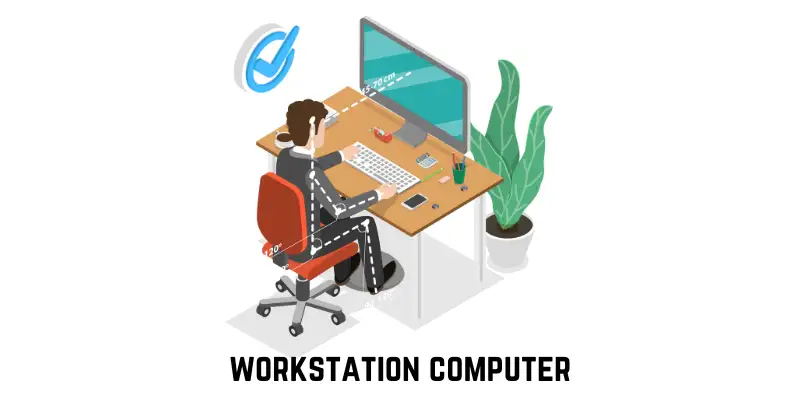
Workstation computers are high-performance systems designed for professional users who need advanced computing power for technical, scientific, and creative work.
Features
Workstations are built for speed, precision, and reliability in demanding professional environments.
- High-performance multi-core CPUs (Intel Xeon, AMD Ryzen Threadripper)
- Professional-grade GPUs for complex graphics and rendering
- Large RAM capacity (commonly 16GB to 128GB or more)
- Error-correcting memory (ECC RAM) for data accuracy and stability
- Optimized for CAD, 3D modeling, and simulation software
- High-speed SSD storage for fast data processing
- Designed for continuous heavy workloads
- Advanced cooling systems for long operating sessions
Uses
Workstation computers are used in industries that require high computing performance and precision. Here are some uses of workstation computers:
- 3D modeling and animation design
- Video editing and post-production work
- Engineering and CAD (Computer-Aided Design) applications
- Scientific simulations and research
- Architectural design and visualization
- Artificial intelligence and data analysis tasks
Examples
Workstations are used by professionals in engineering, media, and research industries.
- HP Z Series Workstations
- Dell Precision Workstations
- Lenovo ThinkStation Series
- Apple Mac Pro
Why It Matters
Workstation computers are important because they provide professional users with the power and stability needed for complex, resource-intensive tasks.
Real Fact
Many blockbuster movies, high-end animations, and engineering designs are created using workstation computers due to their powerful graphics and processing capabilities.
8. Laptop
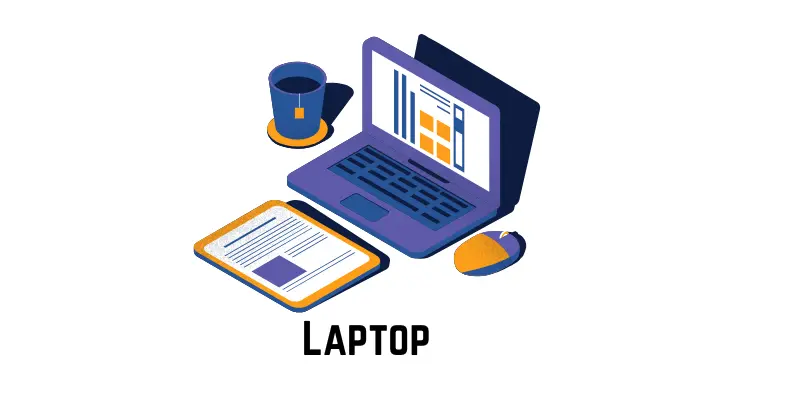
Laptops are portable personal computers designed to provide full computer functionality in a compact and mobile form. To learn more, explore the various types of laptop computers.
Features
Laptops are designed to be lightweight, portable, and energy-efficient while still offering strong computing performance.
- Built-in screen, keyboard, and touchpad in a single unit
- Powered by a rechargeable lithium-ion battery
- Uses mobile processors (Intel Core, AMD Ryzen, Apple M-series)
- Available in different performance levels (basic to high-end)
- Supports Wi-Fi, Bluetooth, and wireless connectivity
- Lightweight and easy to carry anywhere
- Includes SSD storage for fast booting and performance
- Designed for energy efficiency and heat management
Uses
Laptops are used in almost every field due to their portability and flexibility.
- Online education and virtual learning
- Office work and business tasks
- Software development and coding
- Graphic design and video editing
- Internet browsing and communication
- Remote work and freelancing
- Entertainment like movies, music, and gaming
Examples
Laptops are produced by many global technology brands with different performance ranges.
- Dell Inspiron Series
- HP Pavilion and Specter Series
- Apple MacBook Air and MacBook Pro
- Lenovo ThinkPad Series
- Acer Aspire Series
Why It Matters
Laptops are important because they allow users to work, study, and communicate from anywhere, making them essential for modern mobile and remote lifestyles.
Real Fact
Modern laptops can deliver performance close to that of desktop computers, and high-end models can handle professional tasks such as video editing, programming, and even AI development.
9. Analog computer
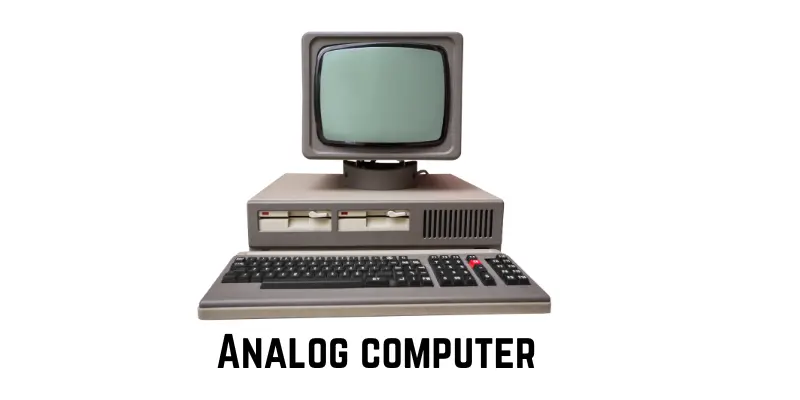
Analog computers are special-purpose computers that process continuous physical data, such as temperature, speed, pressure, and voltage, rather than digital numbers. They are mainly used for measurement and control systems.
Features
Analog computers work on continuous signals rather than binary data, making them useful for real-world physical processes.
- Works with continuous data like voltage, temperature, and speed
- Uses physical quantities instead of digital numbers (0 and 1)
- Provides real-time results based on changing inputs
- Highly effective for measurement and control systems
- Less precise than digital computers, but fast for specific tasks
- Often used in scientific and engineering instruments
- Simple design compared to modern digital systems
- Mostly replaced by digital systems in modern computing
Uses
Analog computers are primarily used in systems that require real-world physical measurements.
- Measuring temperature, speed, and pressure
- Industrial control systems and automation
- Scientific experiments and simulations
- Flight simulators and aircraft systems (older systems)
- Medical equipment for monitoring signals
- Engineering measurement devices
Examples
Analog computers are mostly found in traditional or specialized instruments. Here are some examples of analog computers.
- Speedometers in vehicles
- Thermometers (analog type)
- Voltmeters and ammeters
- Older flight simulators
- Mechanical analog control systems
Why It Matters
Analog computers are important because they were the foundation of early computing and are still used in specific real-time measurement and control systems that require continuous data.
Real Fact
Although most modern systems are digital, analog computing principles are still used in devices that require real-time physical signal measurement, such as sensors and control systems.
10. Hybrid computer
Hybrid computers are systems that combine the features of both analog and digital computers. They are designed to process both continuous data (like temperature or pressure) and digital data (binary information) at the same time.
Features
Hybrid computers integrate analog speed with digital accuracy, making them suitable for complex real-time systems.
- Combines analog and digital computing systems
- Processes both continuous and discrete data
- Provides high speed with better accuracy
- Supports real-time data processing
- Uses sensors along with digital processors
- Highly reliable for critical applications
- Often used in specialized and scientific environments
- Requires integration of hardware and software systems
Uses
Hybrid computers are used in systems where both measurement and computation are required together.
- Hospital patient monitoring systems (heart rate, blood pressure)
- Weather forecasting and climate analysis
- Scientific research and laboratory systems
- Industrial process control systems
- Aircraft and defense systems
- Space research and monitoring systems
Examples
Hybrid computers are mostly used in advanced technical and medical equipment. Here are some examples of hybrid computers.
- ICU patient monitoring machines
- Weather radar systems
- Aircraft cockpit control systems
- Industrial automation systems
Why It Matters
Hybrid computers are important because they provide both real-time measurement and accurate digital processing, making them essential in critical fields like healthcare, aviation, and scientific research.
Real Fact
Modern medical monitoring systems are a practical example of hybrid computing, where sensors continuously collect data and digital systems analyze it instantly for decision-making.

Types of Computers (Quick Overview Table)
Here is a quick overview of the main kinds of computers, their key features, and real-life examples.
| Type of Computer | Size | Power | Example |
| Microcomputer | Small | Low–Medium | PC, Laptop |
| Minicomputer | Medium | Medium | PDP-11, Data General Nova |
| Mainframe Computer | Very Large | Very High | Banks, Airports |
| Supercomputer | Huge | Highest | Weather, Space Research |
| Server Computer | Large | High | Dell PowerEdge, HP ProLiant |
| Embedded Computer | Tiny | Low | Car Engine, Microwave |
| Laptop | Small | Medium | HP Spectre, Dell Inspiron |
| Analog Computer | Varies | Low–Medium | Speedometer, Thermometer |
| Hybrid Computer | Medium-Large | High | Hospital Patient Monitor |
Which Computer is Best? (Quick Reference)
Here is a quick reference to help you choose the best type of computer for different users and purposes.
| User / Purpose | Best Type of Computer | Reason |
| Students | Microcomputer / Laptop | Portable, easy to use, affordable, and can run educational software. |
| Small Office / Business | Minicomputer / Server | Can handle multiple users and store company data efficiently. |
| Banks / Airports / Govt | Mainframe Computer | Very powerful and secure for processing large amounts of data. |
| Scientific Research / Space | Supercomputer / Hybrid | Extremely fast and accurate for complex calculations and simulations. |
| Professional / Designers | Workstation Computer | High-performance and advanced graphics, suitable for design and video editing. |
Conclusion
In 2026, understanding the different types of computers has become more important than ever because computers are now a core part of education, business, healthcare, and everyday life.
From microcomputers used for personal tasks to powerful supercomputers used in advanced scientific research, each type of computer serves a unique purpose. Server computers support the internet, embedded systems control smart devices, and workstations help professionals with high-level design and engineering work.
Ultimately, the right type of computer depends on your needs—whether it is simple daily use, business operations, or complex scientific tasks. These different types of computers together form the foundation of today’s digital world, making work faster, smarter, and more efficient in 2026.
FAQs about types of computer
Here are some of the most asked questions about types of computers:
Yes, smartphones are actually a type of computer. They have many of the same features as larger computers, like a processor, memory, and the ability to run applications. While smaller and more portable, they can still perform various tasks.
A tablet is like a bigger version of a smartphone with a screen that is usually 7 to 12 inches. It also uses touch-screen controls and can run apps, but it is more suitable for watching videos, reading, and browsing. Tablets don’t make calls like smartphones but can still connect to the internet.
Choosing the right type of computer helps you get the most out of your tasks. For example, a laptop or tablet may be enough if you only need to use the internet and write documents. However, if you want to play high-end games or work with design software, you might need a gaming computer or workstation.
Yes, many types of computers can be upgraded, especially desktops and workstations. You can add more memory (RAM), upgrade the storage (hard drive), or even change the graphics card. However, laptops and tablets are harder to upgrade because they are built to be smaller and more compact.
For gaming, you need a computer with a powerful graphics card, fast processor, and lots of memory. A gaming PC or laptop is built for this purpose and can handle the high demands of modern video games. Make sure to check the specifications before buying!
Your computer might freeze or crash because of too many programs running at once, outdated software, or hardware problems. Try updating your operating system and software, and if the problem continues, you might need to upgrade or fix your hardware
A smartphone is a small computer that lets you make calls, send messages, and use apps.
There are different types of computers based on size, power, and usage. Commonly, computers are classified into 20 types to cover both traditional and modern systems. These include:
- Microcomputer (Personal Computer)
- Minicomputer
- Mainframe Computer
- Supercomputer
- Server Computer
- Embedded Computer
- Workstation Computer
- Laptop Computer
- Desktop Computer
- Tablet Computer
- Smartphone Computer
- Analog Computer
- Digital Computer
- Hybrid Computer
- Quantum Computer
- Wearable Computer
- Gaming Computer
- Cloud Computer System
- Edge Computer
- Portable Handheld Computer
These types are classified to help understand how computers differ in size, performance, and purpose. Each type is designed for specific tasks, from simple personal use to advanced scientific and industrial applications.

It is the most be
thx for the great info luvu