Top Data Recovery Software – A Complete Guide
Published: 5 Jan 2026
Data loss is a common problem today. Sometimes files are deleted by mistake. Sometimes the system crashes or a virus removes important data. This can be very stressful, especially when the data is important. This is where the data recovery software becomes very useful. These tools are designed to help you easily find and recover lost files. They can recover photos, videos, documents, and other important data.
Most of these tools are simple to use and do not require technical skills. In this article, we will explore the top 10 data recovery software in detail and help you choose the best one for your needs.
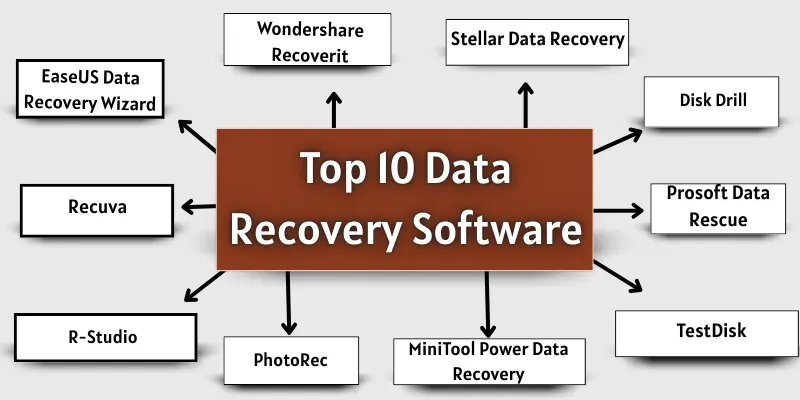
Top 10 Data Recovery Software
Finding the right tool to recover lost files is very important. Here are the top 10 data recovery software programs that can help you recover your important data quickly and safely.
- EaseUS Data Recovery Wizard
- Wondershare Recoverit
- Stellar Data Recovery
- Disk Drill
- Recuva
- R-Studio
- PhotoRec
- MiniTool Power Data Recovery
- TestDisk
- Prosoft Data Rescue
1. EaseUS Data Recovery Wizard
EaseUS Data Recovery Wizard is a popular tool to recover lost or deleted files. It is easy to use for beginners and powerful for professionals. It can recover photos, videos, documents, and more from different storage devices.
Key Features:
- Recover deleted, formatted, or lost files
- Supports recovery from HDD, SSD, USB drives, and SD cards
- Quick scan and deep scan options
- Preview files before recovery
Supported Platforms:
- Windows
- Mac
Pros:
| Pros |
|---|
|
Cons:
| Cons |
|---|
|
Price:
- Free version available (up to 2GB)
- Paid version starts from $69.95
Best For:
- Beginners who want simple recovery
- Professionals needing advanced recovery options
2. Wondershare Recoverit
Wondershare Recoverit is a powerful tool to recover lost, deleted, or corrupted files. It is beginner-friendly and supports recovery from many storage devices. It can restore photos, videos, documents, emails, and more.
Key Features:
- Recover files from HDD, SSD, USB, SD cards, and more
- Supports over 1000 file formats
- Quick scan and deep scan modes
- File preview before recovery
Supported Platforms:
- Windows
- Mac
Pros:
| Benefits |
|---|
|
Cons:
| Drawbacks |
|---|
|
Price:
- Free version available
- Paid version starts from $59.95
Best For:
- Users who need recovery of many file types
- Beginners and professionals
3. Stellar Data Recovery
Stellar Data Recovery is a trusted tool for recovering lost or corrupted files. It can recover documents, photos, videos, emails, and more. It works on different storage devices and is suitable for both beginners and professionals.
Key Features:
- Recover files from HDD, SSD, USB drives, and memory cards
- Supports deleted, formatted, and corrupted files
- Deep scan to find hidden or lost files
- File preview before recovery
Supported Platforms:
- Windows
- Mac
Pros:
| Advantages |
|---|
|
Cons
| Disadvantages |
|---|
|
Price:
- Free version available (up to 1GB)
- Paid version starts from $79.99
Best For:
- Users needing advanced recovery options
- Professionals working with damaged or corrupted drives
4. Disk Drill
Disk Drill is a versatile data recovery software that helps you retrieve lost or accidentally deleted files. It works on both internal and external storage devices and supports a wide range of file formats. Its simple interface makes it easy, even for beginners, to recover important data.
Key Features:
- Recover files from HDD, SSD, USB, and memory cards
- Supports recovery of photos, videos, documents, and archives
- Quick scan and deep scan options
- Data protection and recovery vault features
Supported Platforms:
- Windows
- Mac
Pros:
| Benefits |
|---|
|
Cons:
| Drawbacks |
|---|
|
Price:
- Free version available
- Paid version starts from $89
Best For:
- Beginners who want easy recovery
- Users looking for extra data protection tools
5. Recuva
Recuva is a simple tool to recover deleted files. It works well for basic recovery needs. You can restore photos, videos, documents, and more. It is lightweight and easy to use.
Key Features:
- Recover deleted files from PC, USB, and memory cards
- Quick scan and deep scan modes
- Preview files before recovery
- Supports many file types, including images and documents
Supported Platforms:
- Windows
Pros:
| Pros |
|---|
|
Cons:
| Cons |
|---|
|
Price:
- Free version available
- Paid version starts from $19.95
Best For:
- Beginners with basic recovery needs
- Users who want a simple, free tool
R-Studio
R-Studio is a professional data recovery software. It is designed for advanced users and technicians. It can recover files from damaged or formatted drives. It also works with complex RAID systems.
Key Features:
- Recover files from HDD, SSD, USB, and network drives
- Supports corrupted, formatted, or deleted files
- Hex editor for detailed file recovery
- Advanced RAID reconstruction
Supported Platforms:
- Windows
- Mac
- Linux
Pros:
| Pros |
|---|
|
Cons:
| Cons |
|---|
|
Price:
- Paid version starts from $79.99
Best For:
- IT professionals and technicians
- Users with advanced data recovery needs
7. PhotoRec
PhotoRec is a free and open-source data recovery software. It focuses on recovering photos, videos, and other file types. It works even if your storage device is corrupted. It does not require installation on the drive being recovered.
Key Features:
- Recover lost files from HDD, SSD, USB, and memory cards
- Supports over 480 file formats
- Works with damaged or formatted drives
- Command-line interface for precise recovery
Supported Platforms:
- Windows
- Mac
- Linux
Pros:
| Advanatages |
|---|
|
Cons:
| Disadvantages |
|---|
|
Price:
- Free
Best For:
- Users who need free, powerful recovery
- Tech-savvy users comfortable with command-line tools
8. MiniTool Power Data Recovery
MiniTool Power Data Recovery is a reliable tool to restore lost files. It works with different storage devices, such as HDDs, SSDs, USB drives, and memory cards. It can recover documents, photos, videos, and more. The software is simple and beginner-friendly.
Key Features:
- Recover files from deleted, formatted, or damaged drives
- Supports lost partition recovery
- Quick scan and deep scan options
- File preview before recovery
Supported Platforms:
- Windows
- Mac
Pros:
| Pros |
|---|
|
Cons:
| Cons |
|---|
|
Price:
- Free version available (up to 1GB)
- Paid version starts from $69
Best For:
- Beginners who want simple recovery
- Users with lost partitions or formatted drives
9. TestDisk
TestDisk is a free and powerful data recovery software. It helps recover lost partitions and fix corrupted drives. It can also make non-booting disks bootable again. It is mostly used by advanced users and IT professionals.
Key Features:
- Recover lost partitions and deleted files
- Fix corrupted or damaged drives
- Supports multiple file systems (FAT, NTFS, ext2/ext3/ext4)
- Works without installing on the drive being recovered
Supported Platforms:
- Windows
- Mac
- Linux
Pros:
| Benefits |
|---|
|
Cons:
| Drawbacks |
|---|
|
Price:
- Free
Best For:
- Advanced users and IT professionals
- Users who need partition recovery
10. Prosoft Data Rescue
Prosoft Data Rescue is a professional recovery software. It helps recover lost, deleted, or corrupted files. It works with multiple storage devices, including HDDs, SSDs, and external drives. It is suitable for both home users and professionals.
Key Features:
- Recover files from deleted, formatted, or corrupted drives
- Deep scan to find lost files
- File preview before recovery
- Supports a wide range of file types
Supported Platforms:
- Windows
- Mac
Pros:
| Pros |
|---|
|
Cons:
| Cons |
|---|
|
Price:
- Free trial available
- Paid version starts from $99
Best For:
- Professionals and business users
- Users who need high recovery success
Common Causes of Data Loss
Data loss can happen in many ways. Here are the most common reasons:
- Accidental Deletion: Sometimes files are deleted by mistake. This is the most common reason for data loss.
- Formatting a Drive: Formatting a hard drive or USB removes all files. Many people do it by accident.
- Virus or Malware Attack: Viruses can delete or corrupt files. Malware can make data unusable.
- System Crash or Software Failure: A sudden system crash can lead to lost files. Software errors can also corrupt data.
- Power Failure: Unexpected power cuts can stop file saving. This may corrupt or delete files.
- Physical Damage: Hard drives, USBs, and memory cards can get damaged. Dropping or water damage can cause data loss.
Conclusion
So guys, it’s time to finish up! In this guide, we have covered Data Recovery Software in detail. We discussed the best tools for different needs and skill levels. If you want an easy and reliable option, EaseUS or Recoverit is a great choice for beginners. For advanced recovery, R-Studio or TestDisk works better. Now it’s your turn. Choose the software that fits your needs and recover your lost data before it’s too late.
FAQs about the best Data Recovery Software
Data recovery software helps you get back lost or deleted files. It can recover photos, videos, and documents. These tools work on computers and storage devices.
Yes, many free data recovery tools are safe. They are good for basic recovery tasks. Always download them from official websites.
Yes, you can recover lost data from a hard drive. Data recovery software can scan the drive deeply. It can restore files even after formatting in many cases.
EaseUS, Recoverit, and PhotoRec are popular for photo recovery. They support many image formats. These tools work well for deleted or lost photos.
Yes, many tools support data recovery for Windows and Mac. Some software works on both systems. Always check platform support before downloading.
In many cases, yes. If the data is not overwritten, recovery is possible. Using recovery software early increases success chances
Free tools are good for small recovery needs. They are easy to use and simple. For large or deep recovery, paid tools work better.
Yes, most tools support USB drives and memory cards. They can recover photos, videos, and documents. Just connect the device and start scanning.
Save recovered files on a different drive. Create regular backups to avoid future data loss. This helps keep your data safe.

- Be Respectful
- Stay Relevant
- Stay Positive
- True Feedback
- Encourage Discussion
- Avoid Spamming
- No Fake News
- Don't Copy-Paste
- No Personal Attacks
- Be Respectful
- Stay Relevant
- Stay Positive
- True Feedback
- Encourage Discussion
- Avoid Spamming
- No Fake News
- Don't Copy-Paste
- No Personal Attacks
