Best Video Downloaders in 2026
Published: 26 Feb 2026
As we move into 2026, we are seeing rapid growth in video consumption across all formats. Users are streaming and sharing all kinds of videos across various platforms. While they have access to virtually unlimited videos, streaming isn’t always feasible. Users often want to watch videos offline to save data, while travelling, studying, or when they have unreliable or limited internet access. This has spurred the need for video downloaders to speed, ease, compatibility, and retention of video quality when downloading.
Best Video Downloader 2026 solutions provide cross-platform use, the option to download videos in 4K and 8K resolution, the ability to convert video to audio only, support for multiple downloads at the same time, and secure cloud-based access to downloads. When downloading videos, users want speed and ease of use, and they want video downloaders to have both desktop and mobile versions. That said, the following is an analysis of the best video downloaders of 2026.
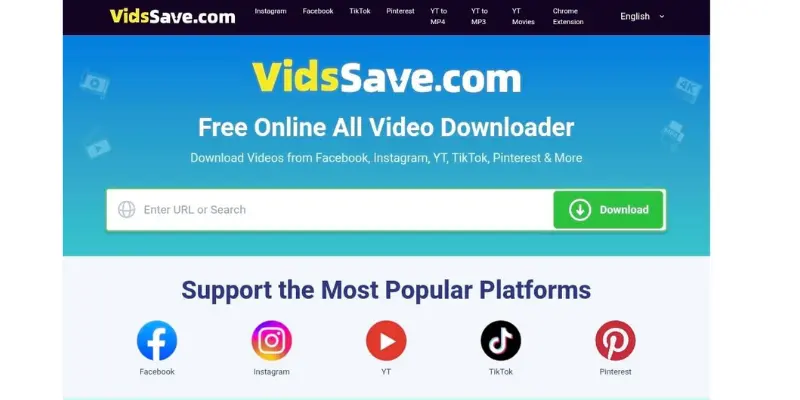
1. VidsSave, Online Video & Music Downloader
VidsSave is a new and updated video and music downloader. With VidsSave, users can download media from a multitude of popular websites, and because it is an online service they don’t have to worry about downloading an app.
Primary Functions
- Accessible online so no installation is necessary
- Compatible with most major video websites
- Can download video and audio files
- Easy copy and paste download system
- Functional on all kinds of devices including phone, tablet, and desktop
Given that VidsSave is online based, it is a great option for those looking for a lightweight, browser-based solution that won’t take up storage on your device. It is useful when it comes to quickly downloading and ripping video files to audio.
2. 4K Video Downloader
4K Video Downloader is still a strong desktop option for 2026. It is praised for its dependability and support of higher resolutions.
Primary Functions
- 8K video downloading
- Playlists and channels can be downloaded
- Subtitles can be downloaded separately
- Can be used on Windows, Mac, and Linux
This is a good option for people who tend to download big video libraries, as the tool supports consistent video quality and allows downloading multiple videos at once (batch downloading).
3. YTD Video Downloader
YTD Video Downloader is still largely used by beginner and casual downloaders.
Main Characteristics:
- Easy-to-use interface
- Built-in converter
- Basic editing options
- Free and premium options
For people looking for a converter and downloader all in one. YTD is a great option. While not having features like 8K downloads in their free version, they are still reliable.
4. SnapDownloader
SnapDownloader is well known for their fast downloading and solid compatibility with a lot of different sites.
Main Characteristics:
- 900+ website compatibility
- 8K video downloads
- Downloads in batches
- Set downloads for later
SnapDownloader is for people who need a lot of downloads with high speed and a lot of options.
5. Any Video Converter
AVC is known for their video conversion, but they recently started enhancing their downloading features as well.
Main Characteristics:
- Downloading and converting videos
- DVD burning
- Editing options
- Multiple format outputs
This is for users who want to download stuff and convert it to different formats in one easy to use program.
6. Allavsoft Video and Music Downloader
Allavsoft is a powerful video and music downloader designed for users who want to save online media quickly and easily. It supports downloading content from many popular platforms such as YouTube, Instagram, Facebook, and Vimeo. The software is simple to use and works smoothly for both beginners and advanced users.
Key Features
- Download videos, music, and playlists from many popular websites
- Supports 4K, 1080p, 720p, and other HD resolutions
- Batch download multiple videos at the same time
- Built‑in media player to play downloaded files
- Resume downloads and keep the download history
- Ad‑free downloading experience
- Includes a screen recording option
- Available for Windows and Mac
Allavsoft is a good choice for users who want a simple tool to download videos and music while keeping the original quality.
7. Freemake Video Downloader
Freemake has been offering reliable service for over 10 years. In 2026 they will still be as reliable as ever.
Important Features:
- HD Download Support
- Download Playlists
- Integrate Cloud Storage
- Simple Dashboard
It is a decent choice for casual users requiring a tool that is reliable, as well as simple to use.
8. ClipGrab
Free and lightweight ClipGrab has a built-in form converter and is also a downloader.
Important Features:
- Absolutely Free
- Direct Download
- System Specs are Minimal
- Integrated Search
- MP3 Downloads
It works for someone looking for a free and simple desktop downloader, as well as a solution that is not advanced.
9. SaveFrom Web-Based Downloader
SaveFrom is a very popular web video downloader.
Important Features:
- No additional downloads
- Direct download from the browser
- Support for various formats
- Downloads lightning fast
It is perfect for fast downloads, but lacks advanced downloader features that are found in paid desktop software.
Comparison Overview
The right choice from the Best Video Downloader 2026 options is based on the user, depending on:
- Best Online Quick Download: VidsSave and SaveFrom are the best options.
- Best for headaches, high resolution, and large downloads: 4K Video Downloader and SnapDownloader.
- Best for those who need to change the Formats and Edit: Any Video Converter is your best choice.
- Best free, lightweight use: ClipGrab is your best choice.
VidsSave is a good example of a user-friendly service. It is an online video and music downloader that lets you download media from a variety of popular sites. Because of how convenient it is and how many features it has, you do not even need to download anything.
Conclusion
In 2026, video downloader tools have become incredibly versatile, able to do more than just download and save videos. Now, they also save videos while maintaining video quality, allow the user to download videos across many platforms, and keep the downloader secure.
VidsSave, a browser-based tool, and 4K Video Downloader, a desktop tool, are complete opposites and you will find that you have to use one of the videos downloaded based on your usage. Occasional users would prefer to use a video downloader that is quick and easy, while frequent or professional users would prefer to use a video downloader that is easier to use without the need to worry about speed.
In 2026, there will be a wide variety of video downloader tools available, and users will be able to find one that meets all of their needs and fits their workflow perfectly.

Great share. Allavsoft also works great to download video and music files from 1000+ websites.