Best Spreadsheet Software List 2026 | AI & Cloud Tools Explained
Published: 28 May 2026
The world of digital productivity is growing very fast, and spreadsheet software has become one of the most important tools for managing data, calculations, and business records. In 2026, these tools are no longer just simple tables. They now include AI features, cloud collaboration, and automation that make work faster and smarter.
Because of these advancements, users are now seeking the best modern, reliable, and easy-to-use spreadsheet programs.
In this article, we will explain 25 examples of spreadsheet software in 2026, how they work, and why they are important for students, professionals, and businesses.
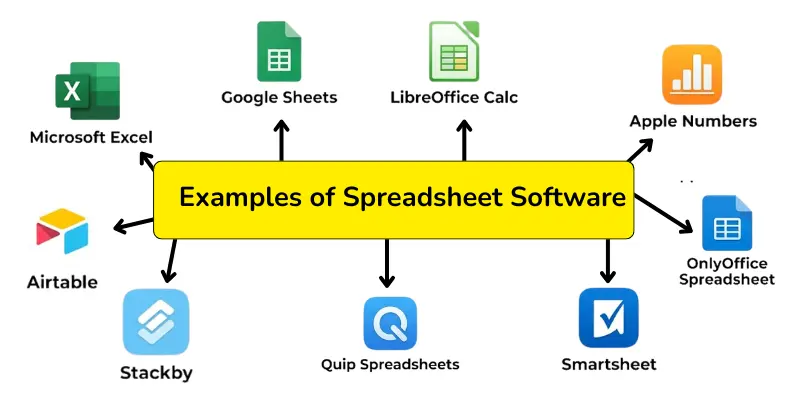
Top 25 examples of spreadsheet software in 2026
Many users today are looking for powerful tools to manage data, finance, and reports. That is why we have listed the 25 examples of spreadsheet programs that are used worldwide in 2026.
So, guys, without wasting time, let’s explore these types of spreadsheet programs in detail
1. Microsoft Excel
Microsoft Excel is the most advanced and widely used spreadsheet software in 2026. It now features AI tools that automatically analyse data, generate insights, and create smart dashboards in seconds. Businesses use it for financial reports, data modeling, and automation tasks.
Key Features:
- AI-powered data analysis and insights
- Advanced formulas and functions
- Interactive dashboards and charts
- Cloud syncing with Microsoft 365
- Automation with Copilot AI tools
It is ideal for professionals, accountants, analysts, and large businesses.
2. Google Sheets
Google Sheets is a cloud-based spreadsheet software that allows real-time collaboration from anywhere. In 2026, it includes AI-assisted formulas, smart suggestions, and improved automation for faster workflow.
Key Features:
- Real-time online collaboration
- AI formula suggestions
- Free cloud storage
- Easy sharing and permissions
- Works on mobile, desktop, and browser
It is best for students, teams, and beginners who want simple and fast data handling.
3. LibreOffice Calc
LibreOffice Calc is a free and open-source spreadsheet software designed for offline use. It is widely used as a powerful alternative to Excel without any cost.
Key Features:
- Completely free and open-source
- Works offline without internet
- Strong formula and calculation system
- Lightweight and fast performance
- Supports multiple file formats
It is ideal for users who want a free desktop spreadsheet solution.
4. Apple Numbers
Apple Numbers is a modern spreadsheet software designed for Apple devices. It focuses on simplicity, design, and smooth user experience with visually attractive templates.
Key Features:
- Clean and modern UI design
- Pre-built templates for reports and charts
- Seamless iCloud synchronization
- Drag-and-drop editing system
- Optimized for Mac, iPhone, and iPad
It is best for Apple users who prefer simple and beautiful spreadsheets.
5. Zoho Sheet
Zoho Sheet is a cloud-based spreadsheet tool designed for teamwork and business productivity. It now includes AI-driven insights and automation tools for better decision-making.
Key Features:
- Real-time team collaboration
- AI-powered data insights
- Cloud-based secure storage
- Automation for repetitive tasks
- Business-friendly reporting tools
It is ideal for startups and business teams working online.
6. WPS Spreadsheet
WPS Spreadsheet is a powerful Excel alternative that offers similar features with a lightweight system. In 2026, it includes improved cloud sync and mobile optimization.
Key Features:
- Excel-like interface and formulas
- Fast performance and lightweight design
- Cloud syncing across devices
- Built-in templates and charts
- Mobile-friendly editing
It is best for users who want a free and fast Excel replacement.
7. Airtable
Airtable is a modern spreadsheet and database hybrid tool used for managing complex data. It is widely used for project management, workflows, and automation.
Key Features:
- Spreadsheet + database combination
- Advanced automation workflows
- Team collaboration tools
- Custom dashboards and views
- Integration with apps and APIs
It is ideal for project managers and tech teams.
8. Smartsheet
Smartsheet is a business-focused spreadsheet platform designed for managing large projects and workflows. It now includes AI automation and advanced reporting tools.
Key Features:
- Project tracking and management
- AI-powered workflow automation
- Advanced reporting dashboards
- Team collaboration tools
- Cloud-based enterprise system
It is best for corporate teams and enterprises.
9. OnlyOffice Spreadsheet
OnlyOffice Spreadsheet is a secure office suite tool that combines spreadsheets, documents, and presentations in one platform. It supports modern collaboration features.
Key Features:
- Real-time editing and collaboration
- Secure cloud and offline access
- Office suite integration
- Clean and simple interface
- Multi-format file support
It is suitable for office and professional users.
10. Quip Spreadsheets
Quip Spreadsheets is a collaboration tool that merges documents and spreadsheets into one workspace. It is widely used for team communication and shared projects.
Key Features:
- Combined documents and spreadsheets
- Real-time collaboration
- Cloud-based team workspace
- Simple interface for teams
- Mobile and desktop access
It is best for team-based work environments.
11. Stackby
Stackby is a modern spreadsheet tool that combines the power of spreadsheets with APIs and databases. It allows users to automate workflows and connect live data.
Key Features:
- API integration with spreadsheets
- Automation and workflow tools
- Custom data fields and tables
- Cloud-based collaboration
- Real-time updates
It is ideal for developers and automation-focused users.
12. Apache OpenOffice Calc
Apache OpenOffice Calc is a free spreadsheet software used for basic and advanced calculations. It is known for stability and offline performance.
Key Features:
- Free and open-source
- Offline functionality
- Strong calculation engine
- File compatibility with Excel
- Lightweight system
It is best for users who want a simple offline tool.
13. Gnumeric
Gnumeric is a lightweight spreadsheet software focused on accuracy and scientific calculations. It is mainly used in Linux environments.
Key Features:
- High-accuracy calculations
- Lightweight performance
- Advanced mathematical functions
- Open-source software
- Fast processing speed
It is ideal for technical and scientific users.
14. Calligra Sheets
Calligra Sheets is part of the Calligra Office suite designed for Linux users. It supports advanced calculations and data visualization.
Key Features:
- Linux-based spreadsheet tool
- Advanced charting system
- Open-source platform
- Custom formulas support
- Lightweight design
It is best for Linux users and developers.
15. PlanMaker
PlanMaker is a professional spreadsheet software that supports Excel file formats and offers fast performance with advanced formatting options.
Key Features:
- Excel file compatibility
- Fast processing speed
- Professional formatting tools
- Advanced charts and graphs
- Lightweight system
It is ideal for business users who need performance and compatibility.
16. EtherCalc
EtherCalc is a browser-based spreadsheet software that works directly online without installation. It is known for its simplicity and real-time multi-user editing feature.
Key Features:
- No installation required (web-based tool)
- Real-time collaboration with multiple users
- Simple and lightweight interface
- Open-source platform
- Easy sharing via link
It is ideal for users who want a quick and simple online spreadsheet tool.
17. Sheetgo
Sheetgo is an automation-focused spreadsheet tool that connects multiple spreadsheets and transfers data automatically. It is widely used for reporting and workflow automation.
Key Features:
- Automated data transfer between sheets
- Workflow automation tools
- Integration with Google Sheets and Excel
- Cloud-based system
- Easy data management
It is best for businesses that want automated reporting systems.
18. Polaris Office Sheets
Polaris Office Sheets is a mobile-friendly spreadsheet application designed for smartphones, tablets, and desktops. It provides a smooth editing experience on all devices.
Key Features:
- Mobile and desktop support
- Cloud synchronization
- Easy spreadsheet editing tools
- Microsoft Excel file compatibility
- Lightweight performance
It is ideal for users who prefer working on mobile devices.
19. Coda
Coda is a modern all-in-one productivity tool that combines documents, spreadsheets, and apps into one platform. In 2026, it includes powerful AI automation features.
Key Features:
- Document + spreadsheet hybrid system
- AI-powered automation tools
- Custom workflows and dashboards
- Team collaboration features
- Integration with external apps
It is best for teams and startups managing complex workflows.
20. Notion (Database Mode)
Notion is a popular productivity tool that works like a spreadsheet when using database mode. It helps users organize tasks, projects, and structured data in one place.
Key Features:
- Flexible database system
- AI-assisted organization tools
- Task and project tracking
- Cloud-based collaboration
- Custom views (table, board, calendar)
It is ideal for students, creators, and productivity users.
21. Rows
Rows is an AI-powered spreadsheet tool designed for modern data analysis and automation. It helps users create dashboards and connect live data sources easily.
Key Features:
- Built-in AI data analysis
- Live data integrations
- Dashboard creation tools
- Automation without coding
- Cloud-based system
It is best for analysts and business users who need smart reporting tools.
22. Zoho Creator
Zoho Creator is a low-code platform that includes spreadsheet-like data management. It allows users to build custom business apps with ease.
Key Features:
- Low-code application builder
- Spreadsheet-style data handling
- Workflow automation tools
- Cloud-based secure system
- Custom business solutions
It is ideal for businesses building custom tools and apps.
23. Workzone Spreadsheet Tool
Workzone is a project management tool that uses spreadsheet-style tracking to manage tasks, deadlines, and team performance.
Key Features:
- Project and task tracking system
- Team collaboration tools
- Deadline management features
- Reporting dashboards
- Cloud-based workflow system
It is best for teams managing projects and workloads.
24. Excel Online (Microsoft 365)
Excel Online is the cloud version of Microsoft Excel that allows users to create and edit spreadsheets directly in a browser.
Key Features:
- Browser-based Excel version
- Real-time collaboration
- Cloud storage with OneDrive
- AI-assisted features (Microsoft Copilot)
- Easy file sharing
It is ideal for users who want Excel access without installation.
25. Google Workspace Sheets (Advanced Version)
Google Workspace Sheets is the advanced business version of Google Sheets with enhanced AI, automation, and enterprise-level collaboration tools.
Key Features:
- Advanced AI and automation tools
- Enterprise-level collaboration
- Enhanced security features
- Smart data analysis tools
- Integration with Google Workspace apps
It is best for companies and professional teams working at scale.
Conclusion
Now you clearly understand the best spreadsheet programs and why these tools are becoming increasingly important in 2026. All the spreadsheet software listed above offers different features, such as AI automation, cloud collaboration, data analysis, and ease of use.
Some tools are designed for beginners with simple interfaces, while others focus on advanced business features, automation, and professional data management.
There is no single perfect spreadsheet software for everyone. The best choice depends on your needs. If you want simple and free use, Google Sheets or LibreOffice Calc can be a good option. If you need advanced features and AI-powered analysis, Microsoft Excel or Smartsheet can be the best choice.
Overall, these spreadsheet tools can make data management easier, faster, and smarter in 2026.
For more software guides and tips, visit the Computer Guide Hub.
FAQs about examples of spreadsheet programs
Spreadsheet software is a digital tool used to store, organize, and analyze data in rows and columns. It helps users perform calculations, create charts, manage financial records, and handle large amounts of information easily.
There are mainly different types of spreadsheet software based on usage and features. Some are desktop-based, like Microsoft Excel and LibreOffice Calc, some are cloud-based, like Google Sheets and Zoho Sheet, and some are advanced tools with AI and automation features, like Smartsheet and Coda.
Microsoft Excel and Google Sheets are the most popular spreadsheet software in 2026 because they offer advanced features, AI tools, and cloud collaboration.
Yes, many spreadsheet tools like Google Sheets, Excel Online, and Zoho Sheet work online and allow real-time collaboration from anywhere.
In 2026, spreadsheet software is becoming more intelligent with AI automation, smart data analysis, and cloud-based collaboration, making work faster and more efficient.

- Be Respectful
- Stay Relevant
- Stay Positive
- True Feedback
- Encourage Discussion
- Avoid Spamming
- No Fake News
- Don't Copy-Paste
- No Personal Attacks
- Be Respectful
- Stay Relevant
- Stay Positive
- True Feedback
- Encourage Discussion
- Avoid Spamming
- No Fake News
- Don't Copy-Paste
- No Personal Attacks
