Examples of Secondary Storage Devices
Published: 12 Jun 2025
Did you know that computers cannot remember things forever without a storage device? Secondary storage devices help computers store data for a long time. Secondary storage keeps files safe even when the computer is turned off.
In this article, you will learn examples of secondary storage devices in computer such as hard disk drives, USB flash drives, DVDs, and SD cards, in simple and easy words

Examples of Secondary Storage Devices in Computer
There are many types of secondary storage that help us save data for a long time. Below are some common examples of secondary storage used in computers and other devices.
- Hard Disk Drive (HDD)
- Solid State Drive (SSD)
- Magnetic Tape
- Floppy Disk
- Disk Packs
- Compact Disc (CD)
- DVD
- Blu-ray Disc
- USB Flash Drive / Memory Stick
- SD Card

Let’s explore secondary storage devices examples in detail.
1. Hard Disk Drive (HDD)
A hard disk drive is used to store a large amount of data. It keeps your files safe even when the computer is turned off. Many people use it to save videos, games, and pictures. It works inside the computer. The hard disk drive is a type of magnetic storage device.
Key Features of HDD
A Hard Disk Drive has several useful features for storing data safely.
- It stores a large amount of data (like 500 GB, 1 TB, or more).
- It is a non-volatile device, so it keeps data even when power is off.
- It has moving parts, such as spinning disks.
- It uses magnetic storage technology to save data.
- It stays inside the computer case.
- It works slowly compared to an SSD.
- It is a low-cost storage option.

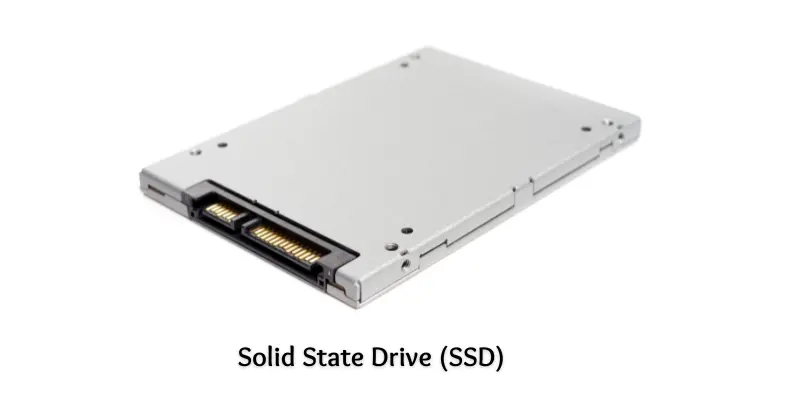
2. Solid State Drive (SSD)
A solid-state drive stores data in a fast way. It has no moving parts. It works silently and quickly. People use SSDs in laptops and new computers. It starts the computer in just a few seconds.
Key Features of SSD
A Solid State Drive includes many features that make it fast and reliable.
- It stores a large amount of data, like 256 GB, 512 GB, or 1 TB.
- It is a non-volatile device, so it saves data even without power.
- It uses flash memory to store data.
- It works faster than a hard disk drive (HDD).
- It uses less power and helps save battery in laptops.
- It is lighter and smaller than hard disk drive ( HDD).
- It has no noise because it has no moving parts.
3. Magnetic Tape
A magnetic tape stores data on a long plastic strip. It looks like the tape inside a cassette. People use it to save a lot of data for a long time. It is slow but cheap. Big companies use it to keep backup files.
Key Features of Magnetic Tape
Magnetic tape offers special features for long-term data storage.
- It can store a very large amount of data (even many terabytes).
- It is a non-volatile device.
- It stores data in a sequential order (one after another).
- It has a slow read and write speed.
- It is cheap for long-term storage.
- It is portable and easy to carry.
- It needs a tape drive machine to read or write data.
- Magnetic tape is a type of magnetic storage device.

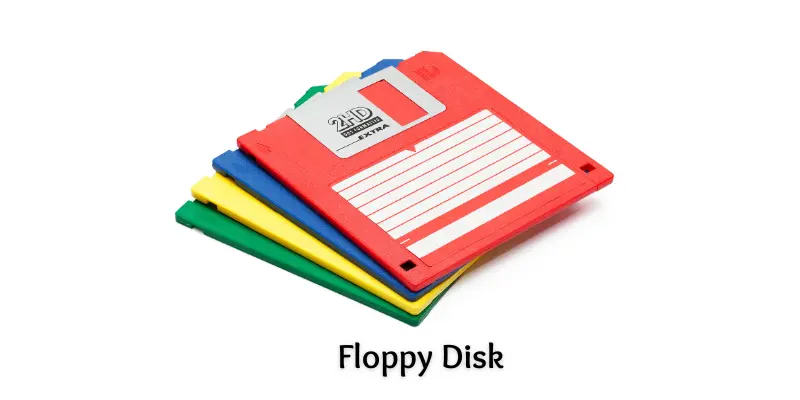
4. Floppy disk
A floppy disk is a small and thin storage device. People used it to save small files in old computers. It was soft and easy to carry. You can use it again and again to store or delete data. Now people don’t use it much.
Key Features of Floppy Disk
A floppy disk has simple features that were useful in early computers.
- It stores a small amount of data (usually 1.44 MB).
- It has a thin magnetic disk inside a square cover.
- It is lightweight and easy to carry.
- It works with a floppy disk drive in old computers.
- It is slow in reading and writing data.
- It is not used today because better devices are available.
- A floppy disk is a type of magnetic storage device.
5. Disk Packs
Disk packs are old storage devices. People used them in big computers a long time ago. They have many hard disks stacked together. Disk packs can store a lot of data. But they are large and heavy.
Key Features of Disk Packs
Disk packs were designed with features for large computer systems.
- They store a large amount of data, like hundreds of megabytes.
- They are non-volatile.
- They have multiple magnetic disks in one unit.
- They are removable from the computer system.
- They were mostly used in mainframe computers.
- They need special drives to read and write data.
- They are not used today because they are old and slow.
6. Compact Disc (CD)
A compact disc is a round and flat disc. It stores music, videos, and files. You can play it using a CD drive. People use CDs to share songs and movies. It keeps data safe even after turning off the computer.
Key Features of Compact Disc (CD)
A compact disc provides useful features for storing music and files.
- It stores up to 700 MB of data.
- It is a non-volatile storage device.
- It stores data using laser light technology.
- It is lightweight and easy to carry.
- It needs a CD drive to read or write data.
- It is cheaper than many other storage devices.
- It is a type of optical storage.

7. DVD (Digital Versatile Disc)
A DVD stores movies, songs, and other files. People use it to play videos on a computer or DVD player. It looks like a round and shiny disc. You can carry it easily in your hand. It saves data with the help of light.
Key Features of DVD
A DVD comes with features that allow storage of larger files.
- It stores more data than a CD (usually 4.7 GB to 8.5 GB).
- It is a non-volatile device, so it keeps data even without electricity.
- It is a type of optical storage device.
- It saves videos, software, and big files.
- It is lightweight and easy to carry.
- It needs a DVD drive to read or write data.
- It is cheaper and reusable if it’s rewritable (DVD-RW)
8. Blu-ray Disc
A Blu-ray Disc is used to store high-quality videos and movies. It can hold more data than a CD or DVD. People use it to watch HD and 4K movies. You need a Blu-ray player to read this disc. It is flat, round, and shiny.
Key Features of Blu-ray Disc
A Blu-ray disc includes advanced features for high-quality storage.
- It stores up to 25 GB on one layer and 50 GB on two layers.
- It is a non-volatile device, so it saves data even when power is off.
- It uses a blue laser to read and write data.
- It gives better picture and sound quality than DVD.
- It is lightweight and portable.
- It is scratch-resistant and more durable than CDs.
- It works only in Blu-ray disc players or Blu-ray drives.
9. USB Flash Drive (Memory Stick)
A USB flash drive is small and easy to carry. You can save things like photos, videos, and school work on it. It is very easy to carry in your pocket or bag. You can plug it into a computer’s USB port. It works very fast.
Key Features of USB Flash Drive (Memory Stick)
A USB flash drive has practical features that make it easy to use.
- It stores data from 2 GB to 1 TB or more.
- It has no moving parts, so it does not break easily.
- It uses solid-state technology to store data.
- It works very fast while copying or moving files.
- It is reusable, so you can delete and save new data many times.
- It uses a USB connector to plug into devices.
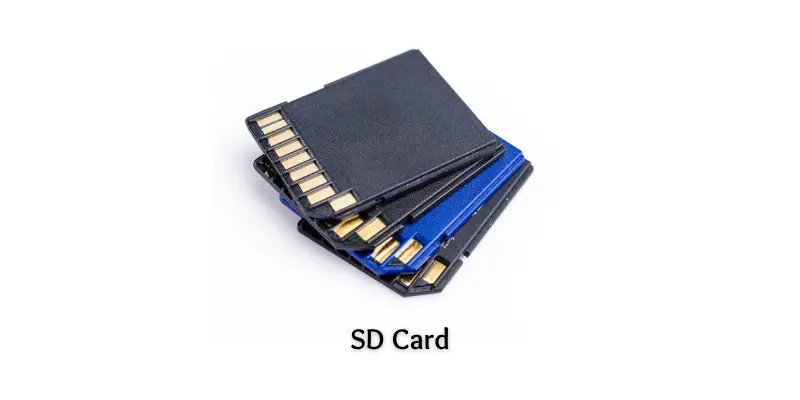
10. SD Card
An SD card is a small storage device. People use it in mobile phones, cameras, and tablets. It helps to save pictures, videos, and songs. You can take it out and use it in another device. It is easy to carry.
Features of SD Card
An SD card provides convenient features for storing data in small devices.
- It stores data from a few MBs to 1 TB or more.
- It is a non-volatile device, so it saves data even without power.
- It has no moving parts, so it works silently.
- It is very small and lightweight.
- It works in phones, cameras, and tablets.
- You can remove and reuse it easily.
- It reads and writes data faster than CDs and DVDs.
Conclusion
So guys, it’s time to finish up! In this article, we’ve covered examples of secondary storage devices in detail. I personally recommend starting with a USB flash drive or SD card if you are new to using storage devices. They are small, easy to use, and safe for saving files. Now it’s your turn! Look around your home or school and try to find these storage devices. You’ll be surprised at how many you already use! If you want to learn about other categories of storage devices, check out Types of Storage Devices to explore all the main storage types your computer uses!
FAQs about Examples of Secondary Storage Devices
Here are common questions about examples of secondary storage devices.
Secondary storage devices are divided into three main categories. These are magnetic, optical, and solid-state storage devices. Each category stores data in a different way.
Magnetic storage uses magnets to store data on spinning parts. It is used to save files like documents, music, and videos. This type of storage can hold a large amount of data and is commonly used in many computers and devices.
Solid-state storage saves data using microchips, not moving parts. It works very fast and is used in many modern devices. It is small, light, and strong.
Optical storage uses a laser light to read and write data on a disc. These devices are good for saving music, videos, and files. You need a special drive to use optical discs.
Solid-state drives (SSDs) are safe and fast. They don’t have moving parts, so they don’t break easily. But it’s still important to back up your data.
The storage size depends on the device type. Some can hold a few megabytes, while others can hold gigabytes or even terabytes of data. For example, a hard drive may store up to 2 TB or more.
Secondary storage is a type of storage that permanently stores data on a computer. It keeps files safe even when the power is off. Hard drives, USB drives, and memory cards are common secondary storage devices. Secondary storage is also called secondary memory in a computer.

- Be Respectful
- Stay Relevant
- Stay Positive
- True Feedback
- Encourage Discussion
- Avoid Spamming
- No Fake News
- Don't Copy-Paste
- No Personal Attacks
- Be Respectful
- Stay Relevant
- Stay Positive
- True Feedback
- Encourage Discussion
- Avoid Spamming
- No Fake News
- Don't Copy-Paste
- No Personal Attacks
