Top Most Used Windows PC Software
Published: 19 Dec 2025
From typing documents to streaming music, gaming, or joining video calls, every Windows user depends on software daily. But which programs are truly the most popular? Here, we reveal the Top 10 Most Used Windows PC Software, covering everything from work essentials to entertainment must-haves.
What is Windows PC Software?
Windows PC software is a program that tells your computer what to do. Without software, a computer cannot perform any tasks. There are two main types of software. System software helps run the computer and other programs, such as the Windows OS and drivers. Application software enables you to perform specific tasks, such as using Microsoft Office or Google Chrome.
Top 10 Most Used Windows PC Software
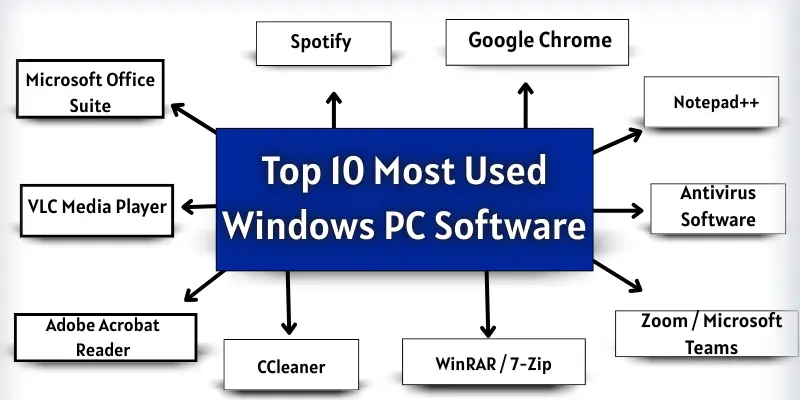
Windows PCs are used by millions of people every day for work, study, and entertainment. Some software programs are so popular that almost every user has them installed. Here is the list of the Top 10 Most Used Windows PC Software:
- Microsoft Office Suite
- Google Chrome
- VLC Media Player
- Adobe Acrobat Reader
- WinRAR / 7-Zip
- Antivirus Software (Windows Defender / Avast / Bitdefender)
- Zoom / Microsoft Teams
- Spotify / iTunes / Music Players
- Notepad++ / Sublime Text / Visual Studio Code
- CCleaner / System Optimization Software
1. Microsoft Office Suite
Microsoft Office Suite is a set of programs that help you do different tasks on a Windows PC. It makes work, study, and communication easier. Most features require a paid license, but some limited free versions are available online. The full version is available on the official Microsoft website.
Includes / Uses / Features:
- Word: Writing documents, checking spelling, formatting text
- Excel: Data analysis, making tables, creating charts
- PowerPoint: Creating presentations, adding images and videos
- Outlook: Sending and receiving emails, managing calendar
Target Audience:
- Students
- Professionals
- Businesses
2. Google Chrome
Google Chrome is a fast and popular web browser for Windows PCs. It helps you visit websites, watch videos, and search for information easily. Google Chrome is free to use.
Includes / Uses / Features:
- Browsing websites: Visit any website quickly and safely
- Extensions: Add small tools to improve your work and browsing
- Sync across devices: Access bookmarks, history, and passwords on any device
- Incognito mode: Browse privately without saving history
Target Audience:
- Students
- Professionals
- Everyone who uses the internet
3. VLC Media Player
VLC Media Player is a free software that plays videos and music on Windows PCs. It can easily play almost any file format.
Includes / Uses / Features:
- Play videos: Watch movies and video files of many formats
- Play music: Listen to songs in different audio formats
- Customizable settings: Change video and audio settings for a better experience
- Lightweight: Works fast even on old computers
Target Audience:
- Students
- Professionals
- Entertainment lovers
4. Adobe Acrobat Reader
Adobe Acrobat Reader is a software that lets you view and edit PDF files on Windows PCs. It is mostly free. Some advanced features require a paid version.
Includes / Uses / Features:
- View PDFs: Open and read PDF documents easily
- Edit PDFs: Add comments, highlight text, fill forms (paid version)
- Secure files: Protect PDFs with passwords
- Print PDFs: Print documents directly from the software
Target Audience:
- Students
- Professionals
- Businesses
5. WinRAR / 7-Zip
WinRAR and 7-Zip are software used to compress and extract files on Windows PCs. WinRAR is paid chiefly, but 7-Zip is free.
Uses / Features:
- Compress files: Make large files smaller to save space
- Extract files: Open compressed files easily
- Secure files: Add passwords to compressed files
- Supports many formats: Works with ZIP, RAR, 7Z, and more
Target Audience:
- Students
- Professionals
- Everyone who shares or stores files
6. Antivirus Software (Windows Defender / Avast / Bitdefender)
Antivirus software protects your Windows PC from viruses and malware. It keeps your computer safe while you work or browse the internet. Some antivirus programs are free. Others need a paid license for full features.
Includes / Uses / Features:
- Protect PC: Scan and remove viruses and malware
- Real-time protection: Stop threats while you use your PC
- Automatic updates: Stay safe with the latest virus definitions
- Extra tools: Some offer firewalls and password managers
Target Audience:
- Students
- Professionals
- Everyone who uses a Windows PC
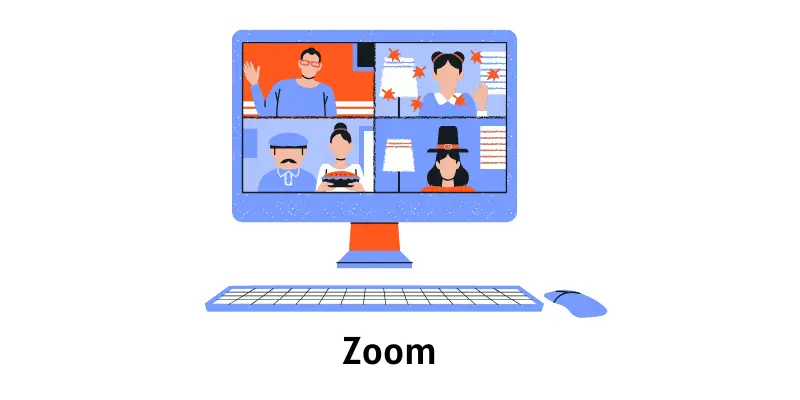
7. Zoom / Microsoft Teams
Zoom and Microsoft Teams are software for video calls and online meetings. They help people communicate and work together from anywhere. Some features are free, but advanced options require a paid subscription.
Uses / Features:
- Video calls: Talk to people face-to-face online
- Screen sharing: Show your screen during meetings
- Chat and collaboration: Send messages and share files
- Meeting recording: Save meetings to watch later (paid feature)
Target Audience:
- Students
- Professionals
- Teams working remotely
8. Spotify / iTunes / Music Players
Spotify, iTunes, and other music players let you listen to songs on your Windows PC. They help you enjoy music anytime. Some features are free, but premium options require a paid subscription.
Includes / Uses / Features:
- Listen to music: Play songs in different formats
- Create playlists: Organize your favorite songs
- Download songs: Listen offline (premium feature)
- Discover new music: Explore songs and albums easily.
Target Audience:
- Students
- Professionals
- Music lovers
9. Notepad++ / Sublime Text / Visual Studio Code
Notepad++, Sublime Text, and Visual Studio Code are software for writing and editing text or code. They help programmers and writers work efficiently. Most of these tools are free, but some advanced features may require a paid version.
Uses / Features:
- Write code or text: Create programs or documents
- Syntax highlighting: Make code easier to read
- Extensions and plugins: Add extra tools to improve work
- Lightweight and fast: Works well even on older PCs
Target Audience:
- Students
- Programmers
- Writers and developers
10. CCleaner / System Optimization Software
CCleaner and similar system optimization software help clean and speed up your Windows PC. They remove junk files and fix errors. Some features are free, but complete tools require a paid version.
Uses / Features:
- Clean junk files: Free up space on your PC
- Fix errors: Repair system problems for better performance
- Optimize startup: Make your PC start faster.
- Privacy protection: Delete browsing history and personal data
Target Audience:
- Students
- Professionals
- Everyone who wants a faster PC
Comparison Table of the Top 10 Most Used Windows Software
Here is a quick comparison between these software.
| Software | Type | Main use | Free / Paid |
| Microsoft Office | Productivity | Docs, Spreadsheets, Email | Paid |
| Google Chrome | Browser | Web browsing | Free |
| VLC Media Player | Media | Play videos/audio | Free |
| Adobe Acrobat Reader | PDF Viewer | Open/edit PDFs | Free |
| WinRAR / 7-Zip | Utility | File compression | Free/ Paid |
| Antivirus | Security | Protect PC | Free/ Paid |
| Zoom / Teams | Communication | Video calls | Free / Paid |
| Spotify | Entertainment | Music streaming | Music streaming |
| Notepad++ / VS Code | Programming | Coding / Text editing | Free |
| CCleaner | Utility | Optimize PC | Free / Paid |
Criteria for Selecting the Top 10 Most Used Windows Software
We selected this software based on a few simple points.
- Number of Users / Popularity: Software with millions of active users worldwide shows its importance and relevance.
- Frequency of Use / Daily Utility: Programs that users open and rely on daily or weekly are considered essential.
- Functionality / Multi-purpose Features: Software that solves multiple tasks or provides versatile features is more widely used. Example: Microsoft Office is used for documents, spreadsheets, and presentations.
- Ease of Use / Beginner-Friendly: Programs that are simple and easy to learn attract a larger audience, including beginners.
- System Compatibility: Software that works smoothly across different Windows versions and hardware configurations is more widely used.
- Performance & Reliability: Programs that run fast, use system resources efficiently, and rarely crash are preferred.
- Regular Updates & Security: Software that is frequently updated and secure earns user trust and long-term popularity.
- Cost-effectiveness / Availability: Free software or affordable paid programs are widely adopted. Essential paid tools are included if their value justifies the cost.
- Integration with Other Tools: Software that connects easily with other applications, cloud services, or productivity tools gains more users.
- User Feedback & Reviews: Software with positive user ratings, reviews, and recommendations is more trusted and widely adopted.
These points helped us choose the most useful and widely used Windows software.
Conclusion
So, friends, we are almost done. In this post, we covered the Top 10 Most Used Windows Software. I recommend starting with Microsoft Office Suite and Google Chrome, as they are helpful for almost everyone. Try these programs on your PC and see how they make your work and study easier. Don’t forget to explore other software in the list to find what suits you best!
FAQS About Windows Software
The most used software includes Microsoft Office Suite, Google Chrome, and VLC Media Player. These programs help with work, study, and entertainment. Almost every Windows user has some of them installed.
Yes, Google Chrome can be installed on almost any Windows PC. It is free and easy to use. You can browse websites, watch videos, and use online tools safely.
Yes, antivirus software is important to keep your PC safe. It protects from viruses, malware, and other threats. Some antivirus programs are free, while others need a paid license for full protection.
Both compress and extract files on Windows PCs. WinRAR is mostly paid, while 7-Zip is free. They support different file formats like ZIP, RAR, and 7Z.
Yes, both have free versions with basic features. For advanced options like long meeting recording, you need a paid subscription. They help you communicate and work online easily.

- Be Respectful
- Stay Relevant
- Stay Positive
- True Feedback
- Encourage Discussion
- Avoid Spamming
- No Fake News
- Don't Copy-Paste
- No Personal Attacks
- Be Respectful
- Stay Relevant
- Stay Positive
- True Feedback
- Encourage Discussion
- Avoid Spamming
- No Fake News
- Don't Copy-Paste
- No Personal Attacks
