Types of Computer Keyboard: Features, Examples & Pictures
Published: 16 May 2025
Do you know that keyboards can look very different? Some types of computer keyboards are soft and quiet. Some are loud and clicky. Some have colorful lights for gaming. Keyboards help us type letters, numbers, and symbols. We need them for school, homework, games, and chatting with friends.
In this guide, you will learn about all the types of keyboards. We will explain them in very simple words. You will see pictures, examples, and their features. By the end, you can choose the best keyboard types for you.

What are the types of keyboards?
A keyboard is a device we use to type on a computer. It has letters, numbers, and special keys. There are many kinds of keyboards. Each type is made for a special purpose. Let’s explore all keyboard types’ names with pictures
12 Different types of keyboards
Keyboards come in many shapes and styles. Each keyboard is made for a special purpose. Here is a list of the different types of computer keyboard:
- Mechanical Keyboard
- Membrane Keyboard
- Wireless Keyboard
- Ergonomic Keyboard
- Gaming Keyboard
- Virtual Keyboard
- Flexible Keyboard
- DVORAK Keyboard
- Multimedia Keyboard
- Chiclet Keyboard
- Backlit Keyboard
- An AZERTY keyboard
So, guys, let’s read all keyboard types in detail
1. Mechanical Keyboard
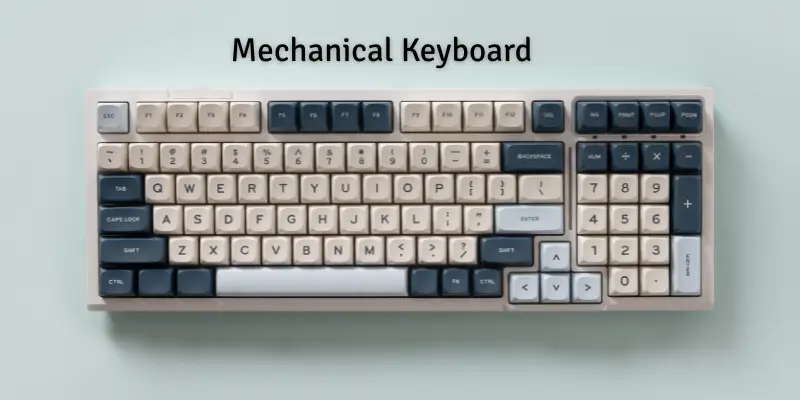
A mechanical keyboard is a special kind of keyboard. It has small switches under each key. When you press a key, the switch moves down. This makes typing smooth and accurate. Many people like mechanical keyboards because they last a long time.
Features of a Mechanical Keyboard
Mechanical keyboards have special features that make them strong and fast:
- Uses small switches under every key
- Strong and long-lasting
- Fast and accurate typing
- Makes a clicky sound when pressed
- Good for gaming and typing
Uses of a Mechanical Keyboard
Mechanical keyboards are used for tasks where fast and accurate typing is needed:
- Playing video games
- Typing fast at school or work
- Programming and coding
- Office work
Examples of a Mechanical Keyboard
Here are some popular mechanical keyboards:
- Corsair K95 keyboard with strong keys and bright lights. Many gamers use it.
- Logitech G Pro: A small and fast keyboard. Good for quick typing and gaming.
2. Membrane Keyboard
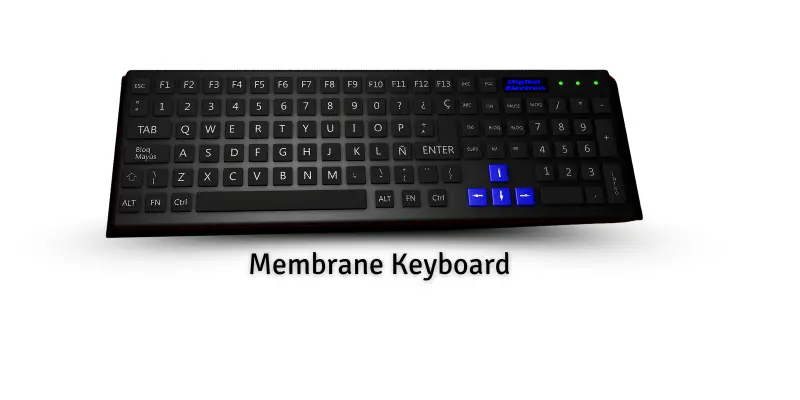
A membrane keyboard is soft and quiet. It has a thin layer under the keys. When you press a key, it presses down on this layer, sending a signal to the computer. Many people use it at school, at the office, or at home because it is simple and easy to use.
Features of a Membrane Keyboard
Membrane keyboards have simple features that make them quiet and easy:
- Soft and quiet keys
- Easy to clean
- Low cost and simple design
- Lightweight and portable
- Works well for daily typing
Uses of a Membrane Keyboard
Membrane keyboards are used for regular typing tasks:
- Writing homework or assignments
- Office work and data entry
- Casual computer use at home
- School projects and learning
Examples of a Membrane Keyboard
Here are some common membrane keyboards:
- Dell QuietKey: Soft typing and very quiet
- Logitech K120: Simple, cheap, and easy to use
3. Wireless Keyboard
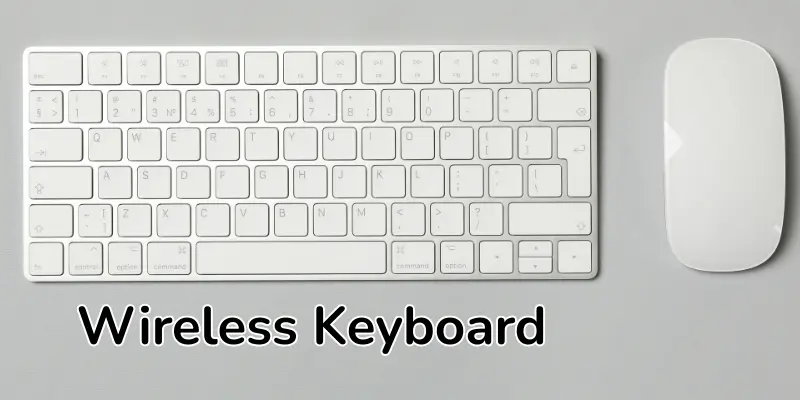
A wireless keyboard does not need a cable. It connects to a computer using Bluetooth or a small USB receiver. You can type from a distance without being tied to your desk. Many people like it because it keeps the desk clean and tidy.
Features of a Wireless Keyboard
Wireless keyboards have features that make them flexible and easy to use:
- Works without a cable
- Can connect via Bluetooth or USB receiver
- Lightweight and easy to carry
- Long battery life for many hours
- Comfortable to use anywhere
Uses of a Wireless Keyboard
Wireless keyboards are good for tasks where you need freedom to move:
- Typing while sitting far from the computer
- Presentations in school or the office
- Home entertainment or media control
- Casual work on laptops and tablets
Examples of a Wireless Keyboard
Here are some popular wireless keyboards:
- Dell QuietKey: It types softly and makes very little noise. People use it in offices.
- Logitech K120: It works simply and costs less. Students and families use it at home and at school.
4. Ergonomic Keyboard
An ergonomic keyboard is made to keep your hands and wrists comfortable. It has a special shape that matches the natural curve of your hands. This helps prevent pain and strain while typing. Many people who type for long hours prefer ergonomic keyboards.
Features of an Ergonomic Keyboard
Ergonomic keyboards have unique features for comfort and health:
- Curved or split design for natural hand position
- Keys arranged to reduce finger stretching
- Soft-touch keys for gentle typing
- Helps prevent wrist pain and fatigue
- Often includes a built-in palm rest
Uses of an Ergonomic Keyboard
Ergonomic keyboards are used when comfort is very important:
- Long typing sessions at school or the office
- Writing assignments or reports
- Data entry for hours without strain
- People with wrist or hand issues
Examples of an Ergonomic Keyboard
Here are some popular ergonomic keyboards:
- Microsoft Sculpt Ergonomic Keyboard: It has a curved shape. It keeps your hands in a natural position.
- Kinesis Advantage 2: It comes in two parts. It helps your wrists stay relaxed while typing.

5. Gaming Keyboard
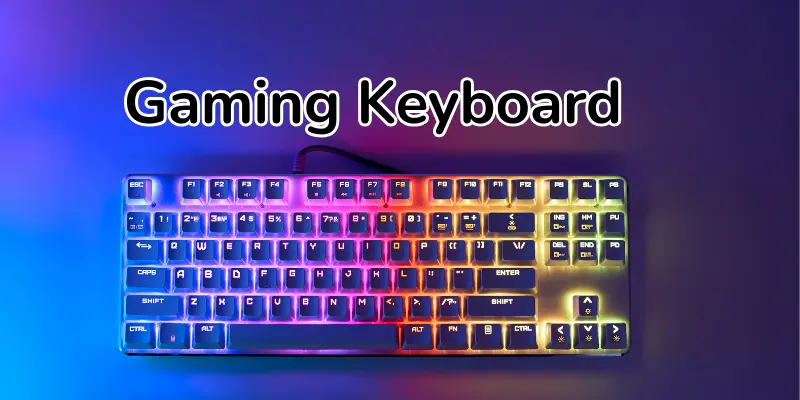
A gaming keyboard is made for people who play video games. It has special keys that respond very fast. Many gaming keyboards have colorful lights and extra buttons. Gamers like it because it helps them play better and faster.
Features of a Gaming Keyboard
Gaming keyboards have features that make gaming fun and easy:
- Fast-response keys for quick actions
- Backlit keys with different colors
- Extra programmable buttons for shortcuts
- Durable and strong for long sessions
- Some keyboards include wrist rests for comfort
Uses of a Gaming Keyboard
Gaming keyboards are used for tasks that need speed and precision:
- Playing video games
- Streaming or creating content
- Fast typing during competitions
- Controlling media and shortcuts quickly
Examples of a Gaming Keyboard
Here are some popular gaming keyboards:
- Razer BlackWidow: Gamers enjoy colourful lights and strong keys.
- SteelSeries Apex Pro: Many gamers prefer fast response and smart features.
6. Virtual Keyboard
A virtual keyboard is on a screen. You do not need real keys. You tap the letters with your finger or a mouse. Many smartphones and tablets use it. It is simple and easy to use anywhere.
Features of a Virtual Keyboard
Virtual keyboards have features that make typing easy without a physical keyboard:
- Works on touch screens
- No physical keys to press
- Can appear and hide when needed
- Adjustable size and layout
- Lightweight and portable
Uses of a Virtual Keyboard
Virtual keyboards are used when you cannot use a real keyboard:
- Typing messages on phones or tablets
- Using tablets for school or work
- Quick notes or writing emails
- On-screen controls for apps
Examples of a Virtual Keyboard
Some common virtual keyboards are:
- Smartphone Keyboard: You use this keyboard to type messages on your phone screen.
- Tablet Keyboard: The keyboard appears on tablets to enable typing without a physical keyboard.
7. Flexible Keyboard
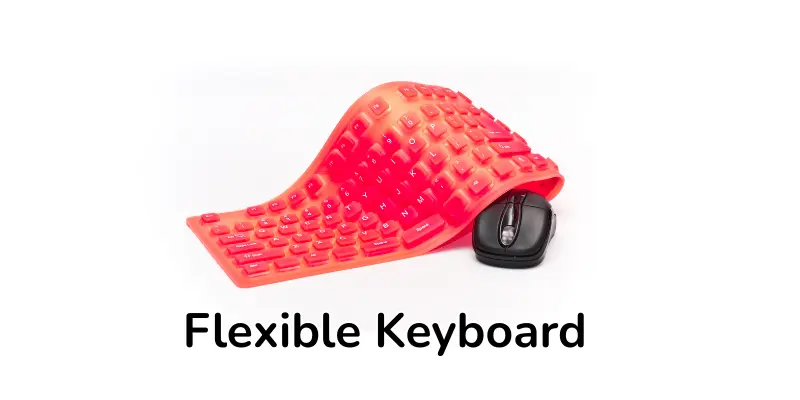
A flexible keyboard is soft and bendable. You can roll it up like a small tube. It is easy to carry anywhere. Many people like it for travel or small desks.
Features of a Flexible Keyboard
Flexible keyboards have special features that make them portable and safe:
- Soft and bendable material
- Can be rolled or folded
- Water-resistant and easy to clean
- Lightweight and portable
- Quiet typing experience
Uses of a Flexible Keyboard
Flexible keyboards are used where space and portability matter:
- Traveling or moving between places
- Typing in small spaces
- Quick work on laptops or tablets
- People who need a lightweight keyboard
Examples of a Flexible Keyboard
Here are some popular flexible keyboards:
- Jelly Comb Flexible Keyboard: It is soft and can be rolled up. It works well for travel.
- Perixx Periboard-512: It is bendable and quiet. It is easy to carry in a bag.
8. DVORAK Keyboard
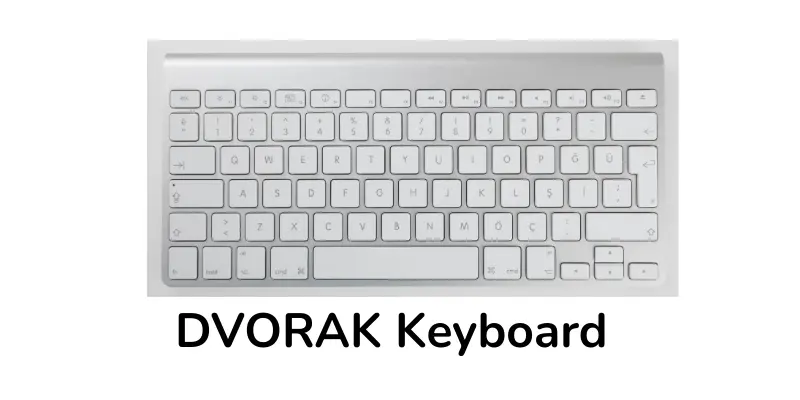
A DVORAK keyboard has a different key layout than normal keyboards. It is designed to make typing faster. The keys are arranged so your fingers move less. Many people use it to type comfortably and reduce strain.
Features of a DVORAK Keyboard
DVORAK keyboards have special features for faster and easier typing:
- Different key layout for less finger movement
- Helps reduce typing fatigue
- Good for long typing sessions
- Improves typing speed with practice
- Can be used for programming and writing
Uses of a DVORAK Keyboard
DVORAK keyboards are used for tasks that need comfort and speed:
- Typing long documents
- Programming or coding
- School or office typing
- People who want faster typing
Examples of a DVORAK Keyboard
Here are some examples:
- TypeMatrix 2030: It uses the DVORAK layout and is good for typing fast.
- Kinesis Advantage2: A split keyboard supports the DVORAK layout for easy typing.
9. Multimedia Keyboard
A multimedia keyboard is more than a normal keyboard. It has special keys for music, videos, and media. You can quickly play, pause, or adjust the volume. Many people use it for fun and easy computer control.
Features of a Multimedia Keyboard
Multimedia keyboards have features for easy media use:
- Dedicated keys for music and videos
- Play, pause, stop, and skip buttons
- Volume control keys
- Some have extra shortcuts for apps
- Works well for school and home entertainment
Uses of a Multimedia Keyboard
Multimedia keyboards are used for tasks involving media:
- Playing music or videos
- Controlling movies or slideshows
- Quick access to apps and programs
- School projects or home entertainment
Examples of a Multimedia Keyboard
Here are some popular multimedia keyboards:
- Microsoft Wired Multimedia Keyboard: A keyboard with buttons to control music and videos.
- Logitech K120 Multimedia Keyboard: It has special keys for playing, pausing, and controlling sound.
10. Chiclet Keyboard
A chiclet keyboard has flat, square keys with space between them. The keys are small and easy to press. Many laptops use chiclet keyboards. They are simple and comfortable to type on.
Features of a Chiclet Keyboard
Chiclet keyboards have features that make typing smooth and neat:
- Flat, square keys with space in between
- Quiet and soft typing
- Easy to clean
- Lightweight and thin design
- Often used on laptops
Uses of a Chiclet Keyboard
Chiclet keyboards are used for everyday typing:
- Typing on laptops or notebooks
- School or homework assignments
- Office work or emails
- People who want a quiet keyboard
Examples of a Chiclet Keyboard
Here are some popular chiclet keyboards:
- Apple MacBook Air: The laptop uses a chiclet keyboard. It feels soft and smooth to type.
- Dell XPS 13: It has a chiclet keyboard, too. It is quiet and comfortable.
11. Backlit Keyboard
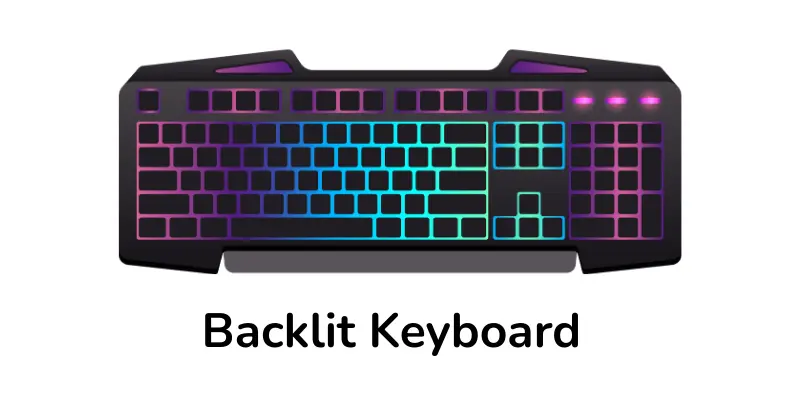
A backlit keyboard has lights under the keys. It helps you see the keys in the dark. Many gaming laptops and desktop keyboards feature backlighting. It looks cool and is fun to use.
Features of a Backlit Keyboard
Backlit keyboards have features for easy typing in low light:
- Lights under each key for visibility
- Some keyboards allow changing the light colors
- Makes typing in the dark easy
- Keys are still responsive and strong
Uses of a Backlit Keyboard
Backlit keyboards are used when visibility is important:
- Typing at night or in low light
- Gaming or streaming
- Working in offices or study rooms with dim light
- Laptops and desktop use for fun or professional work
Examples of a Backlit Keyboard
Here are some popular backlit keyboards:
- HP Pavilion Gaming Keyboard: It has green lights and is good for playing games.
- Dell Inspiron Laptop Keyboard: It has white lights and is easy to use at night.
12. AZERTY Keyboard
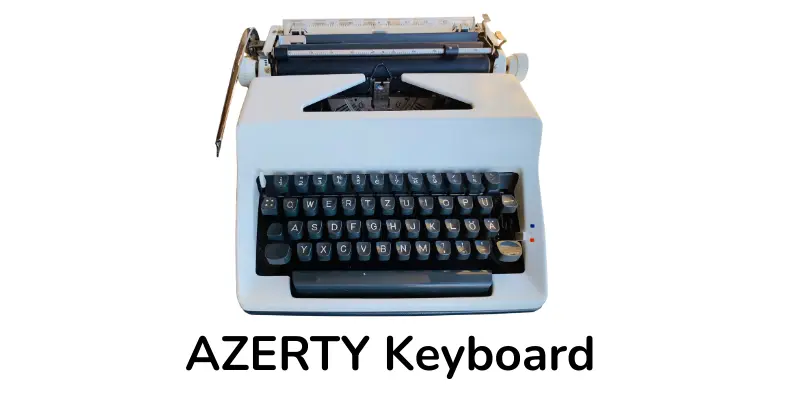
An AZERTY keyboard is mostly used in France and Belgium. It looks like a QWERTY keyboard, but some letters are in different places. The first six letters on the top row are A, Z, E, R, T, and Y. This helps people type in French more easily.
Features of an AZERTY Keyboard
AZERTY keyboards have features for typing French easily:
- Different key layout from QWERTY
- Designed for French letters and accents
- Comfortable for French typing
- Standard size and easy to use
- Works with laptops and desktop computers
Uses of an AZERTY Keyboard
AZERTY keyboards are used for typing in French:
- Writing letters or emails in French
- School or office work in French
- Typing French accents correctly
Examples of an AZERTY Keyboard
Here are some popular AZERTY keyboards:
- Logitech K120 AZERTY: It is simple and good for everyday typing.
- HP Pavilion AZERTY Keyboard: It works well with French laptops and is easy to use.
Conclusion
So guys, it’s time to wrap up. In this article, we learned about the different types of keyboards. Each type of keyboard in computer has a specific use. If you are just starting, a membrane keyboard is best. It is soft, cheap, and easy to use. Mechanical or gaming keyboards are good if you want fast typing or play games. Now that you know all the keyboard types, which keyboard will you try? Share your choice in the comments or show this guide to your friends!
FAQS about computer keyboard types
Here are some most important questions about the kinds of keyboards in computers
Three common types of keyboards are Mechanical, Membrane, and Wireless. Mechanical is strong and fast. The membrane is soft and quiet. Wireless works without a cable.
Keyboards look different because of their layout or design. Some have more keys, some fewer. Some are made for special languages or tasks.
Keyboards can look different because of their layout or size. Some have more keys, and some have fewer. Some are made for other languages.
QWERTY and AZERTY are two types of keyboard layouts. QWERTY is common in English-speaking countries. AZERTY is used in places like France.
Most keyboards work with all computers. You just plug them in or connect by Bluetooth. But some old keyboards may not fit new computers.
An ergonomic keyboard is made to keep your hands comfortable. It helps you type without pain, and it’s good for people who type a lot.
Yes, gaming keyboards have extra features like colorful lights and quick keys. They respond faster than normal keyboards, and gamers use them to play better.

- Be Respectful
- Stay Relevant
- Stay Positive
- True Feedback
- Encourage Discussion
- Avoid Spamming
- No Fake News
- Don't Copy-Paste
- No Personal Attacks
- Be Respectful
- Stay Relevant
- Stay Positive
- True Feedback
- Encourage Discussion
- Avoid Spamming
- No Fake News
- Don't Copy-Paste
- No Personal Attacks
