Introduction to Hub in Computer Network
Published: 23 Apr 2026
If you are a beginner in computer networking, understanding a hub in a computer network can feel difficult at first. Many students struggle with questions like how computers are connected, how data is shared, and why every device receives the same information.
Without a clear explanation, networking terms like data transfer, LAN, and broadcasting can seem complicated. This article will help you understand everything in a very simple way so you can easily learn how a hub works in a computer network without confusion.
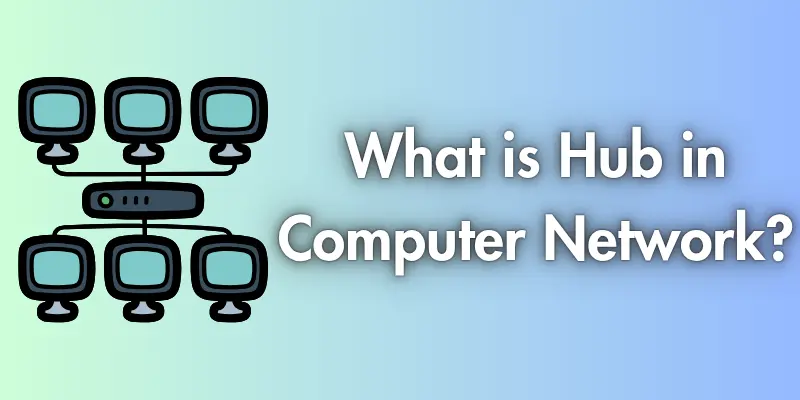
What is hub in computer network?
A hub in a computer network is a simple device that connects multiple computers or other devices. It works as a central point where all devices are linked together so they can share data with each other.
When a device sends data, the hub does not check where the data should go. Instead, it sends the data to all connected devices at the same time. Because of this, a hub is easy to use but not very smart or efficient compared to modern devices like switches.
How Does a Hub Work?
A hub works by simply sharing data between all connected devices. It does not think or decide anything. It only receives data and sends it to everyone.
Step-by-Step Working:
- When a computer wants to send information, it sends the data through a cable to the hub. This can be a message, file, or any type of data.
- The hub receives the data, but it does not understand it. It does not check who the sender is or who should receive the data.
- The hub makes copies of the same data rather than selecting a single device.
- The hub sends the data to all ports, so every connected computer receives it at the same time.
- All devices get the data, but only the correct device uses it. Other devices simply ignore it.
Easy Example:
A hub is like a classroom announcement. When a teacher speaks, all students hear the message. But only the student whose name is called will respond.
Types of Hub
A hub in a computer network comes in different types based on how it operates and the level of control it provides to the network.
Passive Hub
A passive hub is the simplest type of hub. It only connects devices and allows data to pass through without making any changes. It does not need power to boost signals and does not improve the data in any way. Because of this, it is very basic and is mostly used in very small or old networks.
Active Hub
An active hub is more advanced than a passive hub. It needs electricity to work and can make the data signal stronger before sending it to other devices. This helps the data travel farther without losing quality. Active hubs are better than passive hubs, but still send data to all devices.
Intelligent Hub
An intelligent hub is a smarter type of hub. It can monitor network activity and give basic information about connected devices. It may allow simple control, like checking which device is working properly. Even though it has some smart features, it still sends data to all devices like other hubs.
So these types of hubs show that although all hubs connect devices, they differ in features and performance, which makes some more useful than others in different situations.
Features of Hub
A hub in a computer network has certain basic features that make it easy to use.
- It connects multiple devices in a network
- It works as a central point
- It sends data to all connected devices
- It does not filter or check data
- It is easy to install and use
- It is a low-cost networking device
- It works on a simple system (no smart control)
These features show that a hub is a simple, basic device, mainly used for small or older networks.
Advantages and Disadvantages of a Hub in Computer Network
A hub in a computer network is easy to use and helpful for small setups, but it also has some limitations. It works well in simple networks but is not suitable for modern, large networks.
| Advantages |
|---|
|
| Disadvantages |
|---|
|
Conclusion
A hub in computer network is a basic networking device that connects multiple computers and allows them to share data easily. It is simple, low-cost, and helpful for understanding the basic concept of how devices communicate in a network. Because of its simple structure, it is often used in learning environments and in small or older networks.
However, a hub is not very efficient for modern networking because it sends data to all connected devices without checking the destination. This makes the network slower and less secure. That is why hubs are mostly replaced by switches and routers today. Still, learning about hubs is important for beginners to build a strong foundation in computer networking.
FAQs
A hub enables communication between multiple devices. It helps in sharing information within a small network. All connected devices can send and receive data through it.
No, a hub is not a smart device. It does not analyze or control data flow. It simply forwards data to all connected systems.
Modern devices like switches are more advanced than hubs. They can send data only to the required device. Hubs do not have this feature and send data everywhere.
Hubs send data to every connected device, even if it is not needed. This increases unnecessary data flow. It can slow down the overall network performance.
A hub can be useful in very small networks where advanced control is not required. It is also helpful in learning environments. It is not ideal for professional or large-scale networks.
Because it lacks smart data handling features. New technologies provide faster and more secure communication. That is why hubs are rarely used today.

- Be Respectful
- Stay Relevant
- Stay Positive
- True Feedback
- Encourage Discussion
- Avoid Spamming
- No Fake News
- Don't Copy-Paste
- No Personal Attacks
- Be Respectful
- Stay Relevant
- Stay Positive
- True Feedback
- Encourage Discussion
- Avoid Spamming
- No Fake News
- Don't Copy-Paste
- No Personal Attacks
