Advantages and Disadvantages of Computers Explained (2026 Guide)
Published: 5 May 2026
Computers have become an essential part of modern life. People use them in schools, offices, hospitals, homes, and businesses to complete tasks quickly and accurately. There are many advantages and disadvantages of computers that influence how we learn, work, communicate, and manage daily activities. Because of their speed, storage, and smart performance, computers make life easier in many ways.
At the same time, it is also important to understand the cons about computers. Spending too much time on screens, privacy issues, online distractions, and dependence on technology are some common concerns today. That is why learning about computer advantages and disadvantages helps us use technology in a smarter and more balanced way.
In this guide, we will explore the top benefits and drawbacks of computers in simple words for students and beginners.
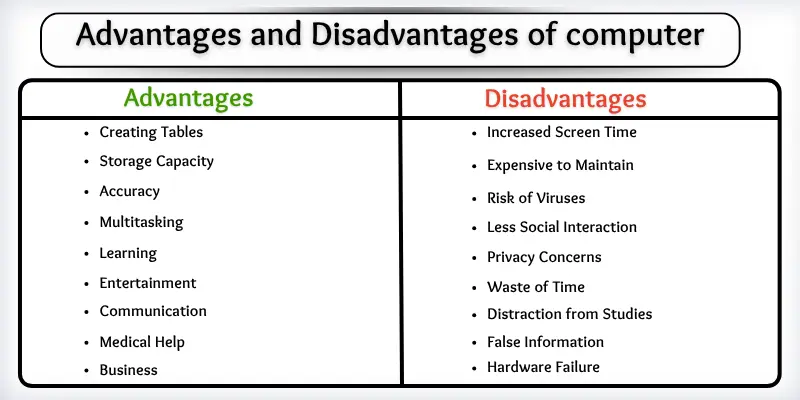
Let’s take a closer look at the major advantages and disadvantages of computers and see how they impact our daily lives in 2026.
10 Advantages of Computers Explained in Detail
Computers have become an important part of our daily lives in 2026. They help us work faster, learn better, and stay connected in a smarter way.
Let’s understand the main advantages of computers step by step in simple words, so you can clearly see how useful computers are in real life.
- Fast Processing
- Storage Capacity
- High Accuracy
- Multitasking Ability
- Remote Work and Business Management
- Online Learning Support
- Entertainment and Creativity
- Instant Global Communication
- Medical and Scientific Support
- Smart Automation and AI Assistance
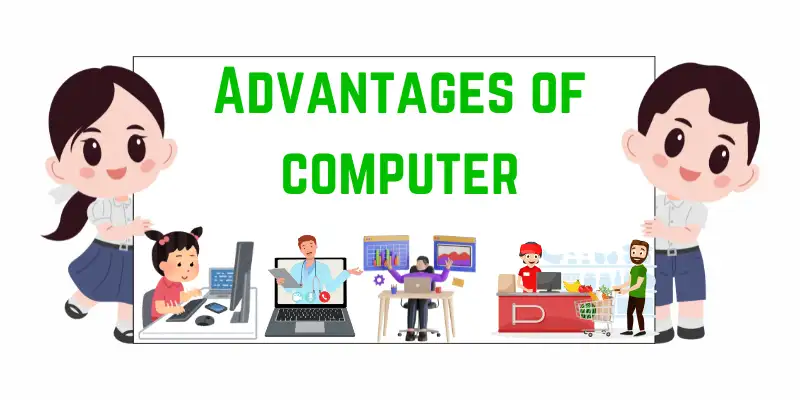
So, guys, let’s read the main advantages of using computer in detail
1. Fast Processing
Computers are built to process data at extremely high speed. They can complete complex calculations and tasks within seconds. This makes them highly useful in education, business, and technical work. Modern processors also improve efficiency by handling multiple operations at the same time.
Here are the common benefits of fast processing:
- Quick data calculation and instant results
- Faster completion of office and academic tasks
- Smooth performance in software applications
- Time-saving for users in daily work
- Efficient handling of large datasets
Overall, fast processing helps users complete their work quickly and improves productivity in every field.
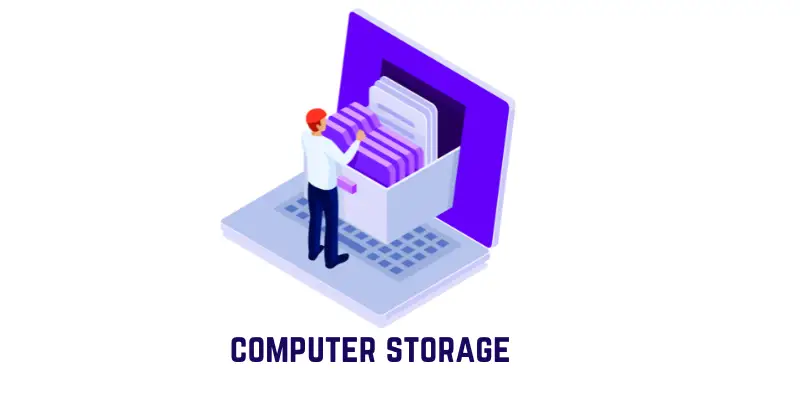
2. Storage Capacity
Computers can store a massive amount of digital data in one place. Users can save files, documents, images, and videos without worrying about physical storage space. Cloud technology has made data storage even more flexible and accessible.
Here are common benefits of data storage:
- Store large files safely in digital format
- Easy backup and recovery options
- Access data anytime using cloud services
- Organized digital file management
- No need for physical storage space
This clearly shows that computers provide a reliable and secure way to manage large amounts of information.
3. High Accuracy
Computers perform tasks with a very high level of precision when given correct instructions. They reduce the chances of human errors in calculations and data processing. This makes them highly dependable in professional fields.
Here are common benefits of accuracy:
- Error-free mathematical calculations
- Reliable data processing results
- Reduced human mistakes in work
- Better performance in technical fields
- Trusted use in financial systems
This shows that computers deliver precise results, improving efficiency and reliability.

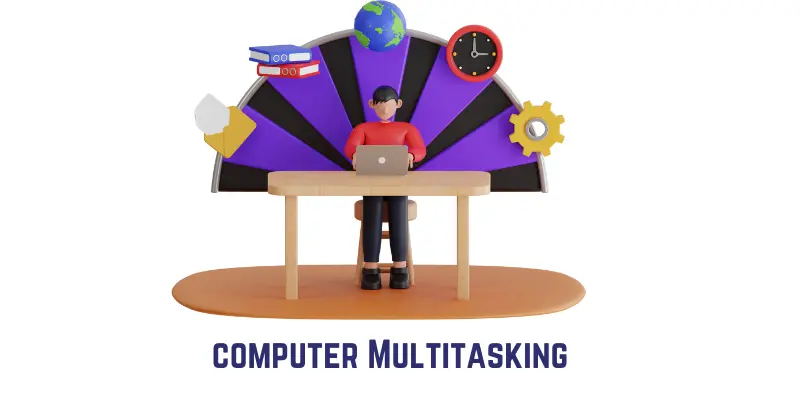
4. Multitasking Ability
Computers can handle multiple tasks at the same time without affecting performance. Users can work on documents, browse the internet, and play media together. This feature improves productivity and saves time.
Here are common benefits of multitasking:
- Run multiple applications simultaneously
- Improved workflow and productivity
- Easy switching between tasks
- Time-saving in daily operations
- Better user experience
Ultimately, multitasking allows users to perform several activities together with ease.
5. Remote Work and Business Management
Computers support modern remote work systems that allow people to work from anywhere. Businesses use online tools to manage operations, employees, and data efficiently. This has increased flexibility and productivity.
Here are some common benefits of remote work:
- Work from any location
- Easy business data management
- Online collaboration tools
- Reduced office expenses
- Flexible working environment
As a result, computers have made remote work and business operations more efficient and flexible.

6. Online Learning Support
Computers have transformed education by making learning digital and flexible. Students can attend online classes, watch lectures, and access study materials from anywhere. This has made education more accessible worldwide.
Here are some common benefits of online learning:
- Access to virtual classrooms
- Availability of online study resources
- Learning from global educators
- Flexible study schedules
- Interactive learning tools
This explains how computers have made education more flexible and accessible for everyone.

7. Entertainment and Creativity
Computers are widely used for entertainment and creative activities. People use them for gaming, watching videos, editing content, and designing graphics. They also support digital careers like freelancing and content creation. If you want to learn more, visit our guide to computer games.
Here are common benefits of entertainment:
- Streaming movies and videos
- Advanced gaming experience
- Digital art and design creation
- Video and audio editing tools
- Content creation for online platforms
This highlights how computers support both entertainment and creativity in modern life.

8. Instant Global Communication
Computers allow people to connect instantly through digital platforms. Communication has become faster through email, messaging apps, and video calls. It removes distance barriers and supports global interaction.
Here are common benefits of communication:
- Instant messaging through apps
- Video and voice calls worldwide
- Fast file sharing
- Group communication for teams
- Global connectivity without delay
This clearly shows that computers make communication fast, simple, and global.

9. Medical and Scientific Support
Computers play an important role in healthcare and scientific research. Doctors use them for patient records and diagnosis, while scientists use them for research and simulations. This improves speed and accuracy in critical fields.
Here are the common benefits of medical use:
- Digital patient record systems
- Advanced diagnostic tools
- Scientific data analysis
- Real-time health monitoring
- Faster research development
This shows that computers improve accuracy and efficiency in healthcare and science.

10. Smart Automation and AI Assistance
Modern computers now include artificial intelligence and automation technologies. These systems help perform tasks automatically and make intelligent decisions. They are widely used in business and daily applications.
Here are the common benefits of AI and automation:
- Automated business processes
- Smart recommendations and predictions
- AI chatbots and assistants
- Faster decision-making systems
- Reduced manual workload
In conclusion, AI and automation make computers more intelligent, efficient, and advanced in 2026.

10 Disadvantages of Computers Explained in Detail
Computers are very useful in modern life, but they also come with some limitations and risks. Many of these issues appear when computers are used for long hours or connected to the internet.
Let’s examine the main disadvantages of computers in a clear way.
- Increased Screen Time and Health Issues
- High Maintenance and Upgrade Cost
- Cybersecurity and System Security Risks
- Privacy and Data Protection Issues
- Social Isolation
- Distraction and Time Wastage
- Spread of Fake Information Online
- Job Displacement Due to Automation
- Hardware Failure and Data Loss
- Overdependence on Technology

Let’s explore the cons of computers in detail.
1. Increased Screen Time and Health Issues
Computers require long hours of screen use, especially for students, office workers, and gamers. Continuous use can affect both physical and mental health. Without proper breaks, users may experience discomfort and fatigue.
Here are some common health-related issues using a computer
- Eye strain and blurred vision
- Headaches and tiredness
- Back and neck pain due to posture
- Sleep disturbance from screen exposure
- Reduced physical activity
Overall, excessive computer use can harm health if a proper balance is not maintained.
2. High Maintenance and Upgrade Cost
Computers require regular maintenance, updates, and upgrades to perform well. Advanced systems can also be expensive for individuals and businesses.
Here are common cost-related issues:
- Expensive hardware upgrades
- Software licensing fees
- Regular maintenance costs
- Repair expenses
- System replacement needs
This clearly explains that computers can be costly to maintain over time.

3. Cybersecurity and System Security Risks
Modern computers are often connected to the internet, which exposes them to security threats. Viruses, malware, and hacking attempts can damage systems and steal important data. Strong protection is needed to stay safe.
Here are common security risks:
- Virus and malware attacks
- System hacking and unauthorized access
- Data corruption or file damage
- Weak security settings exploitation
- Online fraud and cyber threats
This clearly shows that computer systems need proper security tools and safe usage habits.

4. Privacy and Data Protection Issues
Computers store a large amount of personal and professional data. If not properly protected, this information can be misused or leaked online. Privacy protection has become very important in today’s digital world.
Here are common privacy concerns:
- Personal data exposure
- Tracking by websites and apps
- Identity theft risks
- Data leaks from systems
- Misuse of sensitive information
This explains why users must carefully manage and protect their digital information.

5. Social Isolation
Spending too much time on computers can reduce real-life communication. People may prefer online interaction instead of face-to-face conversations. Over time, this can affect relationships and social skills.
Here are common effects:
- Less real-world interaction
- Reduced family and friend bonding
- Dependence on virtual communication
- Feelings of loneliness
- Weak social skills
This shows that overuse of computers can impact real human connections.
6. Distraction and Time Wastage
Computers provide entertainment, games, and social media, which can easily distract users. Instead of focusing on important tasks, people may waste time on non-productive activities.
Here are common distractions:
- Social media usage
- Online gaming addiction
- Unnecessary browsing
- Loss of focus in studies/work
- Poor time management
As a result, computers can reduce productivity if not used carefully.

7. Spread of Fake Information Online
Since computers are used to access the internet, users may come across false or misleading information. Not all online content is reliable or verified.
Here are common risks:
- Fake news and misinformation
- Misleading educational content
- Unverified online sources
- Confusing or incorrect data
- Trust issues with websites
This shows the importance of verifying information before trusting it online.
8. Job Displacement Due to Automation
With the rise of AI and automation, some traditional jobs are being replaced by computer-based systems. This is changing the job market worldwide.
Here are common effects:
- Replacement of manual jobs
- Demand for digital skills
- Increased competition
- Shift toward AI-based roles
- Need for retraining workers
This explains how computers are reshaping employment in the modern world.
9. Hardware Failure and Data Loss
Computers can stop working due to technical faults or system crashes. If proper backup is not maintained, important data can be permanently lost.
Here are common risks:
- System crashes and errors
- Hard disk or SSD failure
- Sudden shutdown problems
- Data corruption
- Permanent file loss
In conclusion, hardware issues can lead to serious data loss if backups are not properly managed.
10. Overdependence on Technology
People are becoming highly dependent on computers for daily tasks. This reduces independent thinking and memory skills. In some cases, users may struggle without digital tools.
Here are common effects:
- Reduced problem-solving ability
- Dependence on software tools
- Weak memory usage
- Difficulty in manual work
- Less independent thinking
This shows that too much reliance on computers can reduce human skills.
Conclusion
So, guys, you have now read the advantages and disadvantages of computers in detail and clearly understood how they impact our daily life in 2026. Computers are powerful tools that make work faster, learning easier, and communication smoother, but at the same time, they also bring challenges like overuse, privacy risks, and dependence on technology. That is why it is very important to use them in a balanced and smart way.
From my personal recommendation, always try to use computers for productive purposes like learning new skills, research, office work, and creativity, rather than spending too much time on distractions. Make sure you also take regular breaks to protect your health and maintain a healthy routine in this digital era of 2026.
If you want to understand more about how computers connect us to the digital world, you can also read our detailed guide on the Internet in a Computer
FAQ’s about the 10 advantages and disadvantages of computer
Here are key questions about the advantages and disadvantages of computers.
Computers have many advantages like fast processing, data storage, and communication. However, they also have disadvantages such as health issues, overuse, and security risks.
Computers make learning easier by providing access to online classes, research materials, and educational tools that help students understand topics better.
Computers help people stay connected through email, social media, messaging apps, and video calls, making communication fast and global.
Computers are useful at home for entertainment, online shopping, communication, and managing daily tasks more efficiently.
One major disadvantage is health issues like eye strain, back pain, and reduced physical activity due to long screen time.
Computers offer many benefits that make life easier, faster, and more organized. Here are 20 important advantages of computers:
- Fast data processing
- Large data storage
- High accuracy in results
- Multitasking ability
- Easy access to information
- Online learning support
- Global communication
- Remote work opportunities
- Business management efficiency
- Entertainment (games, movies, music)
- Creative work (designing, editing)
- Medical support and patient monitoring
- Scientific research and calculations
- Banking and financial transactions
- Automation of tasks
- Time-saving performance
- Easy document creation and editing
- Cloud storage access
- Software development support
- Improved productivity in daily life
These benefits of computers show how computers play a major role in almost every field, from education and business to healthcare and communication.
Computers are very useful, but they also have some drawbacks that can affect health, privacy, and daily life. Here are 20 disadvantages of computers:
- Increased screen time
- Eye strain and vision problems
- Back and neck pain
- Reduced physical activity
- Social isolation
- Overdependence on technology
- Distraction from studies/work
- Time wastage on games and social media
- Cybersecurity threats (hacking)
- Virus and malware attacks
- Privacy risks and data leaks
- Spread of fake information
- Job displacement due to automation
- High maintenance cost
- Hardware failure risks
- Software issues and crashes
- Addiction to computers and the internet
- Loss of personal interaction skills
- Electricity dependency
- Data loss if no backup is available
These disadvantages show that computers should be used in a balanced and responsible way to avoid negative effects.

Names of computers